Export your
AI Studio prompts
in one click
Save full prompt threads or selected responses as Word, PDF, Google Docs, Notion, or Markdown — directly from Google AI Studio. कोई कॉपी-पेस्ट नहीं, कोई परेशानी नहीं।
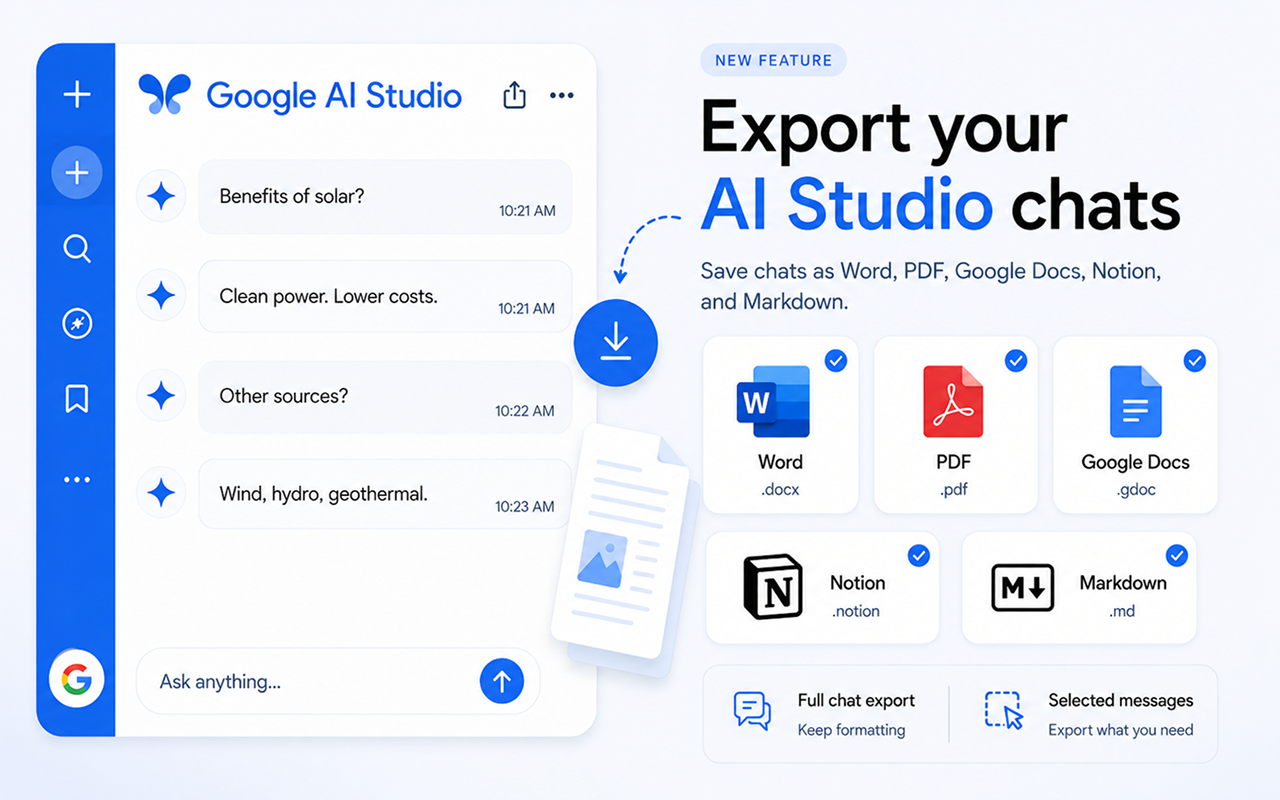
सभी प्रमुख फॉर्मैट का समर्थन
Everything you need to save your AI Studio prompts
Powerful export tools built directly into Google AI Studio's interface.
Full Prompt Export
Export your entire AI Studio prompt thread with perfect formatting — system prompts, user turns, model responses, and code blocks all preserved.
Selected Responses
Pick only the responses that matter. Export a single model answer or a subset of the prompt thread without any extra clutter.
शैली अनुकूलित करें
एक्सपोर्ट करने से पहले उन्नत सेटिंग्स पैनल के माध्यम से फ़ॉन्ट, रंग, शीर्षक आकार, टेक्स्ट संरेखण और अधिक समायोजित करें।
एक-क्लिक एक्सपोर्ट
Six export buttons appear right in the AI Studio interface. Click once and your prompt thread is saved instantly — no extra steps needed.
कुछ ही सेकंड में तैयार
Three simple steps to export any AI Studio prompt thread.
एक्सटेंशन इंस्टॉल करें
Web Store से Chrome में Chat Exporter for AI Studio जोड़ें।
Open any AI Studio prompt
Navigate to aistudio.google.com and open the prompt thread you want to export. The export buttons appear automatically.
एक्सपोर्ट के लिए क्लिक
Choose Word, PDF, Google Docs, Notion, or Markdown. Your thread is exported instantly with full formatting preserved.
छह फॉर्मैट। हर बार सही परिणाम।
Your AI Studio prompt threads, beautifully formatted exactly where you need them.
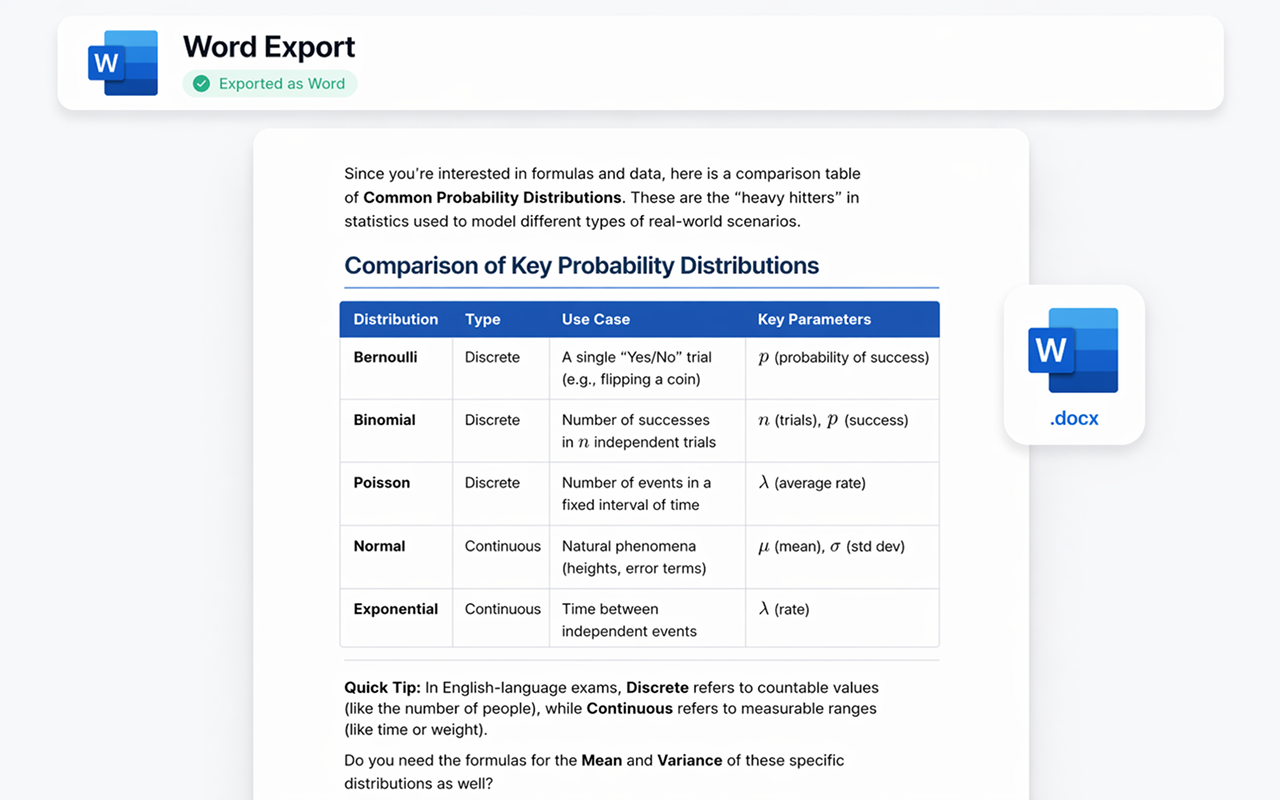
Microsoft Word के रूप में एक्सपोर्ट करें
Your AI Studio prompt thread becomes a professionally formatted .docx file. Headings, bold text, tables, and code blocks are all preserved — ready to edit, share, or print.
- ✓ पूरी फॉर्मैटिंग सुरक्षित
- ✓ संपादन योग्य .docx फ़ाइल
- ✓ कस्टम फ़ॉन्ट और रंग
- ✓ तत्काल डाउनलोड
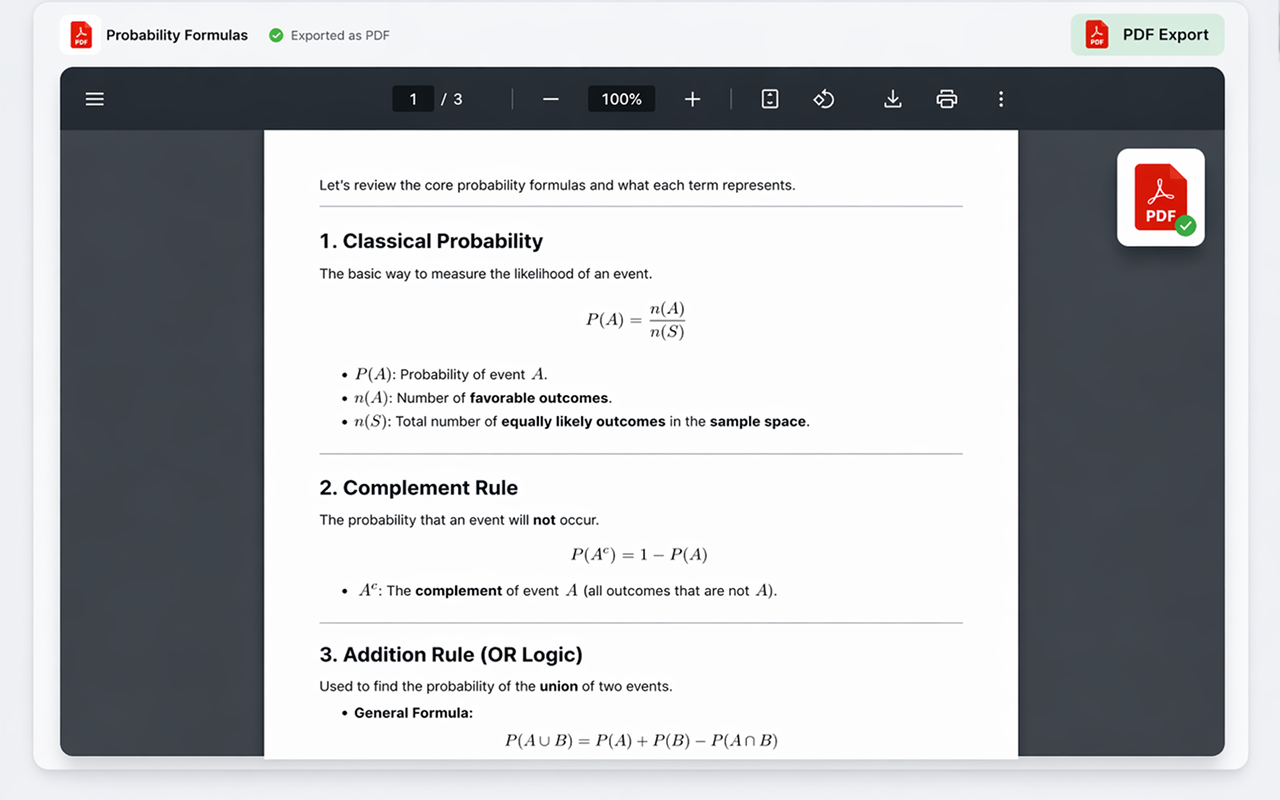
PDF के रूप में एक्सपोर्ट करें
साझा करने, प्रिंट करने, या संग्रहीत करने के लिए तैयार पिक्सेल-परफेक्ट .pdf फ़ाइल जनरेट करें। लेआउट और फॉर्मैटिंग ठीक वैसी ही रहती है जैसा आप AI Studio में देखते हैं — कोई आश्चर्य नहीं।
- ✓ प्रिंट-रेडी गुणवत्ता
- ✓ वफादार लेआउट
- ✓ मल्टी-पेज समर्थन
- ✓ तत्काल डाउनलोड
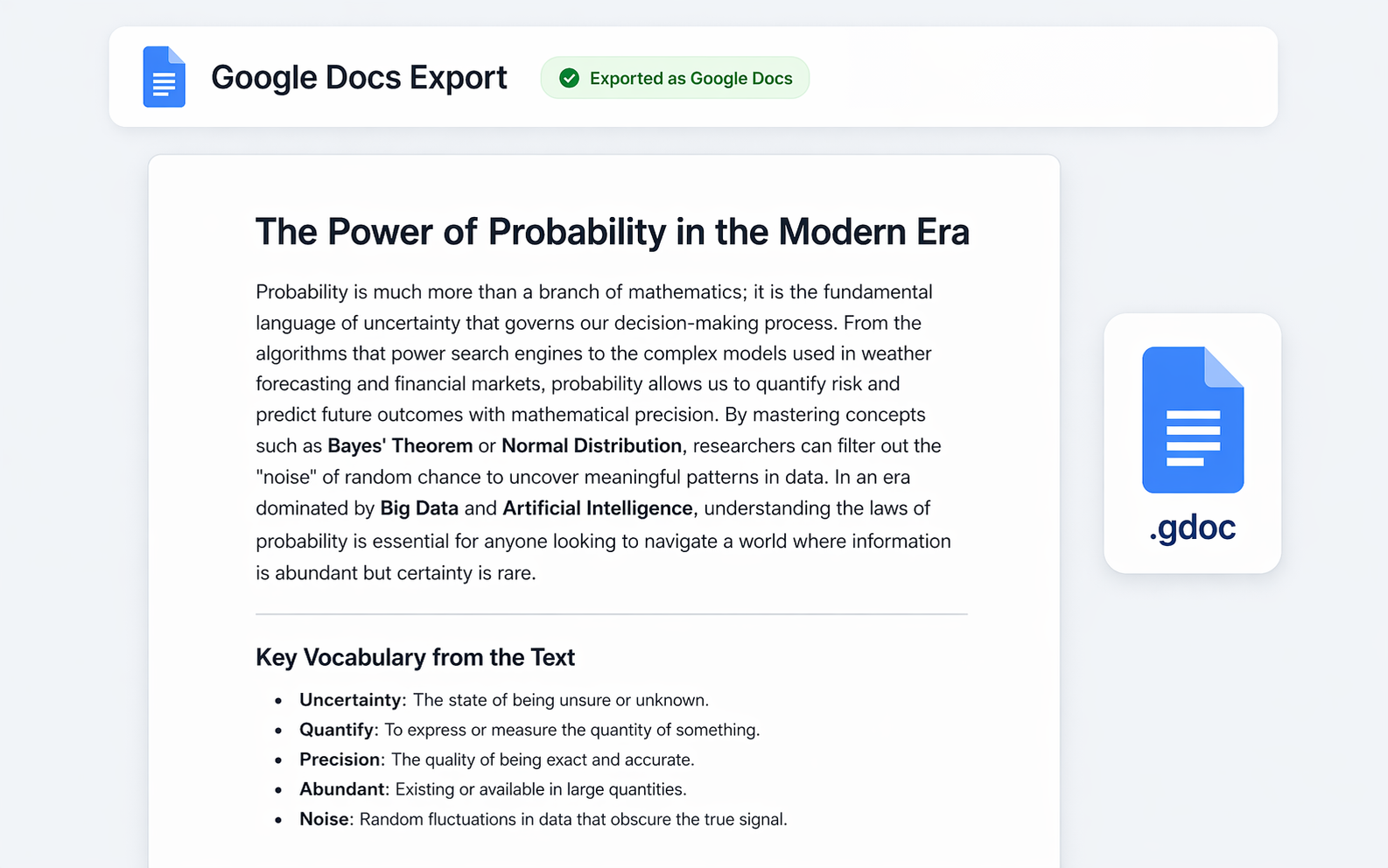
Google Docs में एक्सपोर्ट करें
Send your AI Studio prompt thread straight to Google Drive as a collaborative document. Perfect for teams, students, or anyone living in the Google ecosystem.
- ✓ Google Drive में सहेजा गया
- ✓ पूरी तरह से संपादन योग्य
- ✓ साझा करना आसान
- ✓ आपके खाते के साथ काम करता है
Notion में एक्सपोर्ट करें
Push your AI Studio prompt thread directly into your Notion workspace as a new page. Headings, toggles, code blocks, and lists all become native Notion blocks — ready to drop into any database or doc.
- ✓ नेटिव Notion ब्लॉक
- ✓ भाषा के साथ कोड ब्लॉक
- ✓ लक्ष्य पेज या डेटाबेस चुनें
- ✓ एक बार कनेक्ट करें, कभी भी एक्सपोर्ट करें
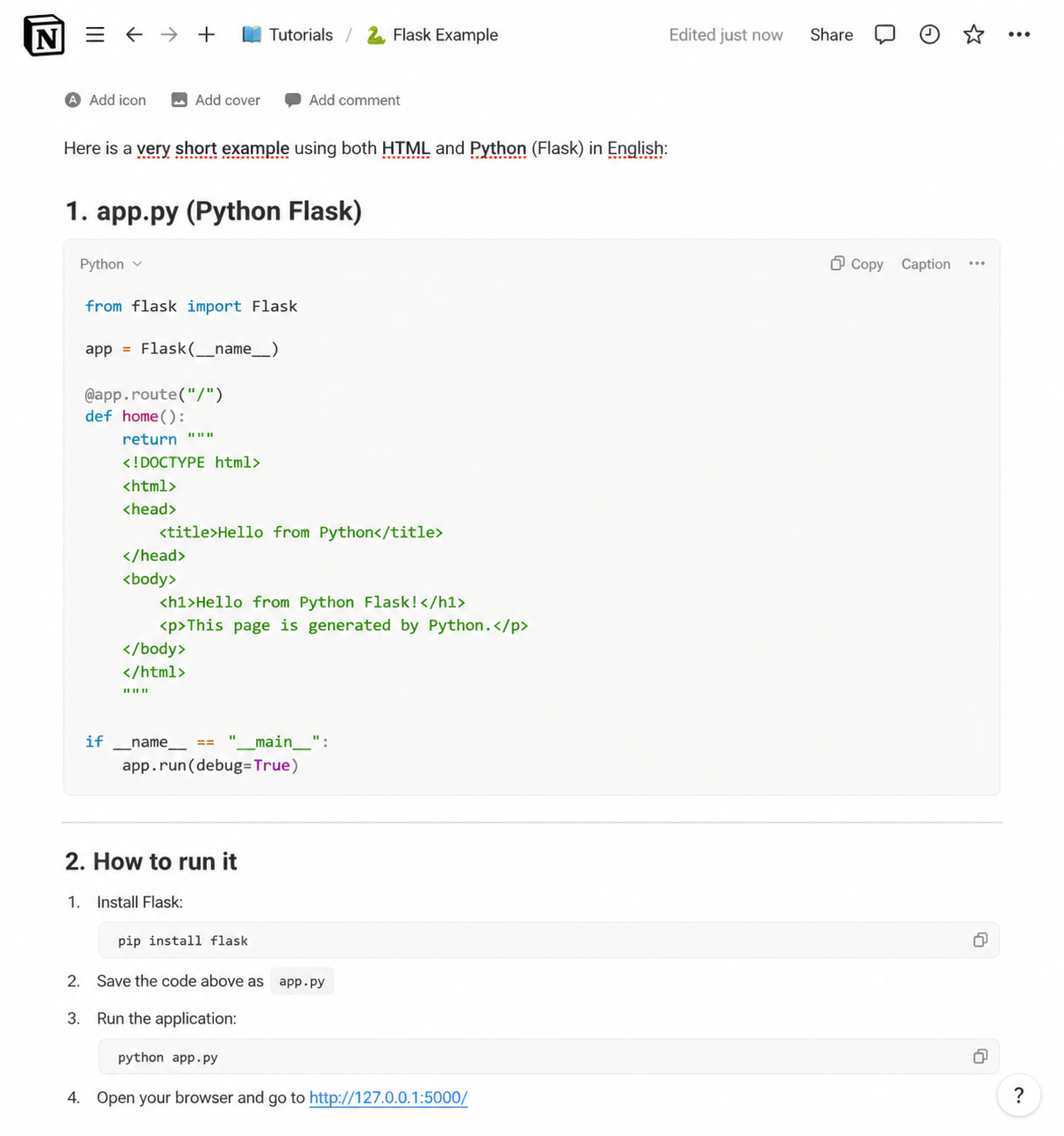
Markdown के रूप में एक्सपोर्ट करें
Get a clean .md file with all the structure intact — perfect for GitHub, Obsidian, VS Code, static-site generators, or any tool that speaks Markdown.
- ✓ साफ़, पोर्टेबल .md फ़ाइल
- ✓ फेंस्ड कोड ब्लॉक
- ✓ Obsidian, GitHub आदि के साथ संगत
- ✓ क्लिपबोर्ड में कॉपी करने का विकल्प
JSON के रूप में एक्सपोर्ट करें
Download the chat as structured .json in standard API message format (role and content). Perfect for developers building datasets, data pipelines, or fine-tuning AI models.
- ✓ मानक संदेश फॉर्मैट
- ✓ Role और content सुरक्षित
- ✓ डेटासेट और पाइपलाइन के लिए बढ़िया
- ✓ फाइन-ट्यूनिंग वर्कफ़्लो के लिए तैयार
प्रत्येक एक्सपोर्ट को बारीकी से समायोजित करें
फ़ॉन्ट, टेक्स्ट आकार, शीर्षक रंग, संरेखण, और कौन से एक्सपोर्ट बटन दिखाई देते हैं, इन्हें अनुकूलित करने के लिए उन्नत सेटिंग्स पैनल का उपयोग करें। प्रत्येक एक्सपोर्ट को अपनी शैली से मिलाएँ।
एक्सटेंशन प्राप्त करें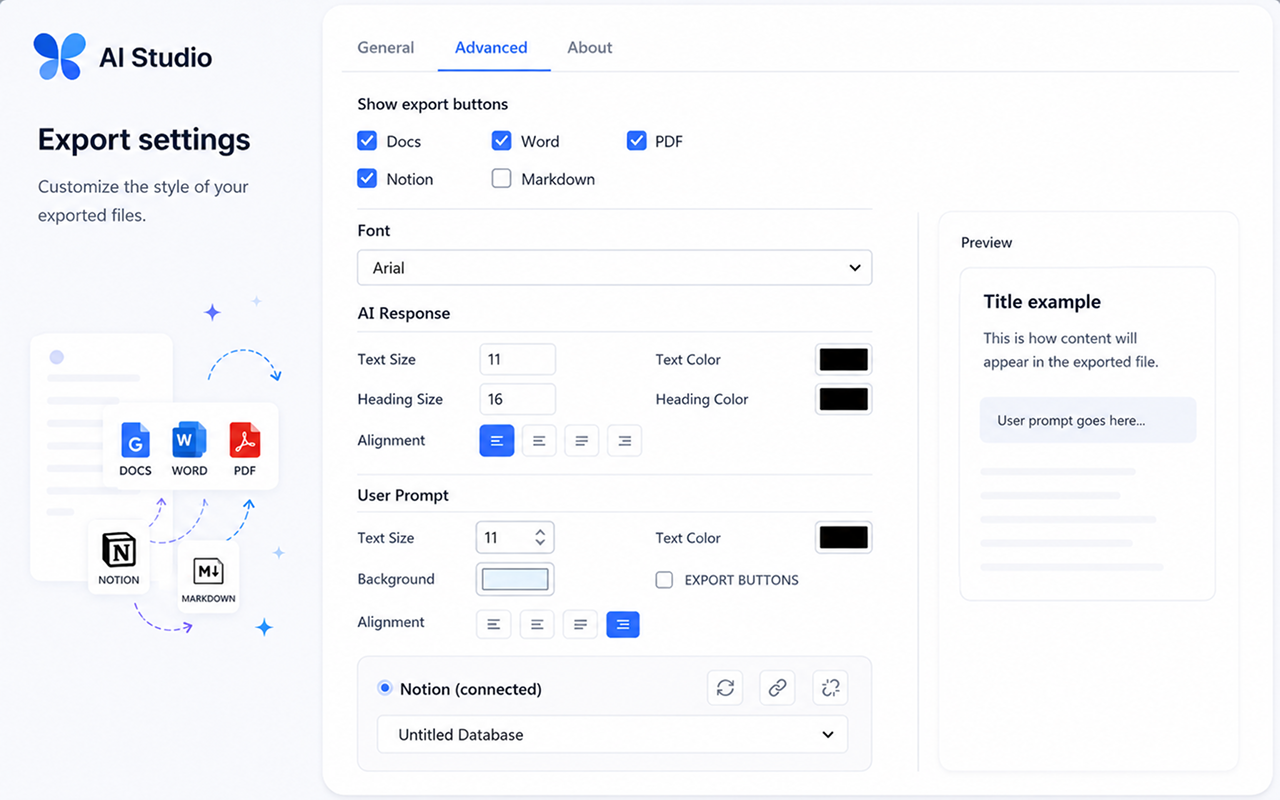
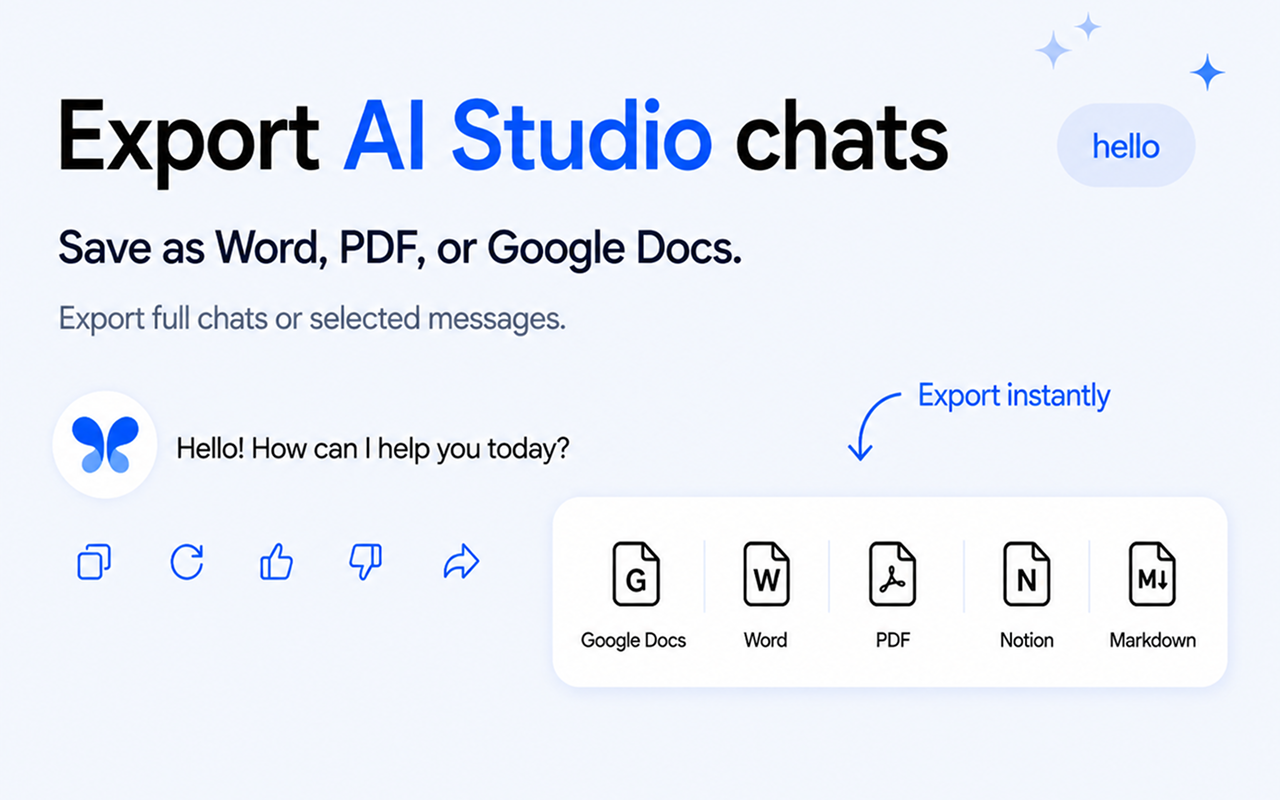
एक्सपोर्ट बटन सीधे AI Studio में दिखाई देते हैं
No need to leave the page or open extra menus. Chat Exporter for AI Studio adds subtle export buttons directly inside each model response. Just click the format you want.
प्रॉम्प्ट उतना ही अहम है जितना जवाब
Google AI Studio में सिस्टम इंस्ट्रक्शन और सेटिंग्स आधा काम होती हैं। जो एक्सपोर्ट सिर्फ़ जवाब सहेजे, वह सबसे कीमती हिस्सा छोड़ देता है।
सिस्टम इंस्ट्रक्शन भी शामिल
सिस्टम इंस्ट्रक्शन बातचीत के साथ ही एक्सपोर्ट होता है, ताकि जिस प्रॉम्प्ट ने यह आउटपुट गढ़ा वह खोने के बजाय दस्तावेज़ में दर्ज रहे।
कई दौर की संरचना सुरक्षित
उपयोगकर्ता का हर टर्न और मॉडल का हर जवाब क्रम से और स्पष्ट लेबल के साथ एक्सपोर्ट होता है, जिससे लंबा प्रॉम्प्ट-इंजीनियरिंग सेशन भी पढ़ने लायक रहता है।
कोड और संरचित आउटपुट
कोड ब्लॉक अपनी भाषा बनाए रखते हैं, और JSON या दूसरे संरचित जवाब लिपटे सादे टेक्स्ट के बजाय ठीक से फ़ॉर्मैट किए ब्लॉक के रूप में एक्सपोर्ट होते हैं।
स्क्रीनशॉट नहीं, प्रॉम्प्ट डिज़ाइन साझा करें
नतीजा ऐसा दस्तावेज़ होता है जिसे सहकर्मी पढ़ सकें, उस पर टिप्पणी कर सकें और उसे संपादित कर सकें, जो AI Studio पैनल का स्क्रीनशॉट कभी नहीं हो सकता।
आम प्रश्न
Does it work with all AI Studio prompt threads?
Yes! The extension works on aistudio.google.com and integrates seamlessly with all your prompt threads — across every Gemini model available in AI Studio.
Is my data safe?
Absolutely. The extension processes everything locally in your browser. We never send your prompt data to any external server.
Do I need an account for Notion or Google Docs?
Google Docs के लिए आपको एक बार अपने Google खाते से साइन इन करना होगा ताकि दस्तावेज़ आपके Drive में सहेजा जा सके। Notion के लिए आप एक बार अपने Notion वर्कस्पेस को कनेक्ट करेंगे। Word, PDF, और Markdown एक्सपोर्ट के लिए साइन इन की आवश्यकता नहीं है।
Can I export only part of a prompt thread?
Yes! You can select specific responses to export instead of the entire thread. Perfect for saving only the parts that matter to you.
क्या एक्सपोर्ट में मेरा सिस्टम इंस्ट्रक्शन शामिल होता है?
हाँ। सिस्टम इंस्ट्रक्शन बातचीत के साथ एक्सपोर्ट होता है, इसलिए जिस प्रॉम्प्ट ने यह आउटपुट बनाया वह दस्तावेज़ में साथ ही दर्ज रहता है।
क्या उपयोगकर्ता के टर्न और मॉडल के जवाब अलग-अलग रहते हैं?
हाँ। हर टर्न क्रम से और स्पष्ट लेबल के साथ एक्सपोर्ट होता है, जिससे लंबे प्रॉम्प्ट-इंजीनियरिंग सेशन पढ़ने लायक बने रहते हैं।
JSON या संरचित आउटपुट को कैसे संभाला जाता है?
संरचित जवाब अपनी भाषा के साथ ठीक से फ़ॉर्मैट किए गए ब्लॉक के रूप में एक्सपोर्ट होते हैं, लिपटे सादे टेक्स्ट के रूप में नहीं।
सरल, पारदर्शी मूल्य निर्धारण
निःशुल्क शुरू करें। असीमित एक्सपोर्ट की आवश्यकता होने पर ही अपग्रेड करें।
मासिक
जब उपयोग करें तभी भुगतान करें, कभी भी रद्द करें
- असीमित एक्सपोर्ट
- सभी एक्सपोर्ट फॉर्मैट
- प्राथमिकता समर्थन
3 महीने
$7.00/माह — मासिक की तुलना में 13% बचाएँ
- असीमित एक्सपोर्ट
- सभी एक्सपोर्ट फॉर्मैट
- प्राथमिकता समर्थन
6 महीने
$6.50/माह — मासिक की तुलना में 19% बचाएँ
- असीमित एक्सपोर्ट
- सभी एक्सपोर्ट फॉर्मैट
- प्राथमिकता समर्थन
वार्षिक
$5.75/माह — मासिक की तुलना में 28% बचाएँ
- असीमित एक्सपोर्ट
- सभी एक्सपोर्ट फॉर्मैट
- प्राथमिकता समर्थन
- 4 महीने निःशुल्क
Start exporting your AI Studio prompts today
aistudio.google.com पर तुरंत काम करता है।
Add to ChromeChrome Web Store पर उपलब्ध