अपनी
Claude चैट
एक क्लिक में एक्सपोर्ट करें
Save full conversations or selected answers as Word, PDF, Google Docs, Notion, Markdown, or JSON — directly from Claude. No copy-paste, no signup.
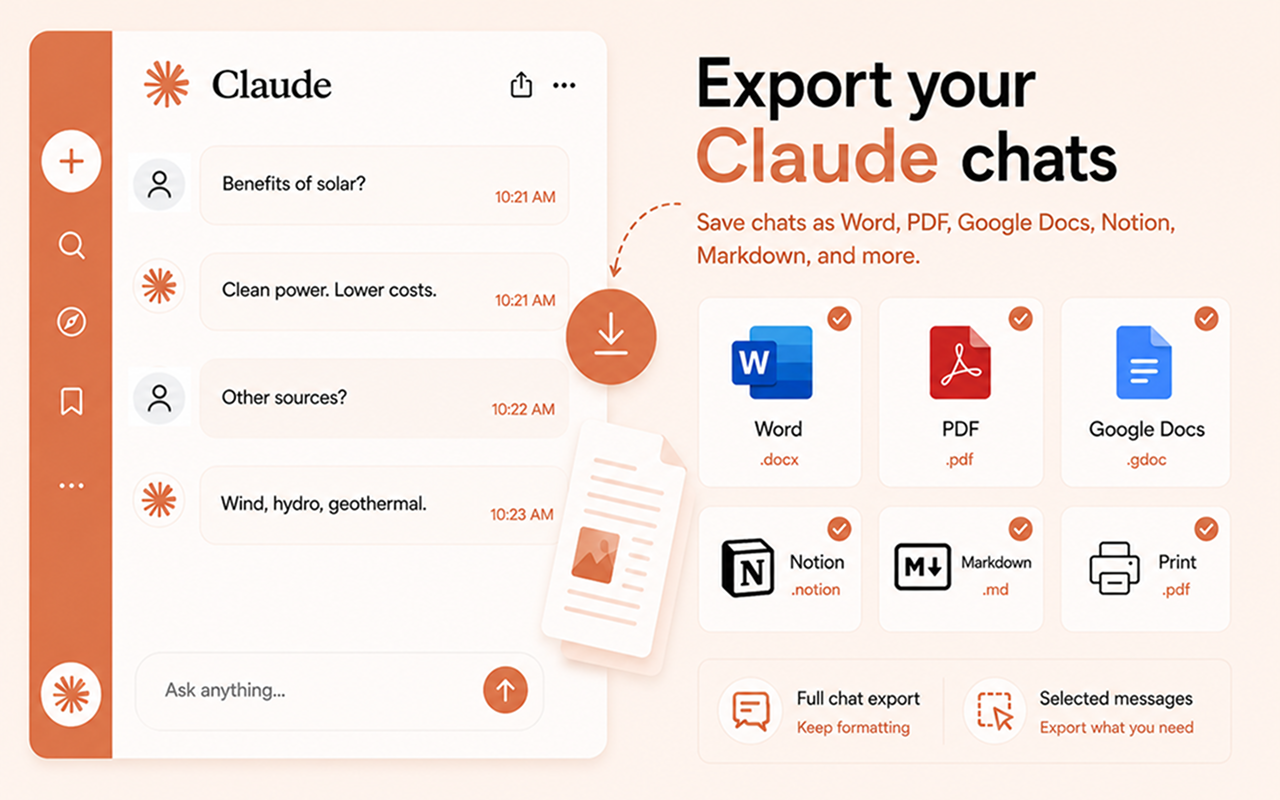
सभी प्रमुख फॉर्मैट का समर्थन
आपकी Claude चैट सहेजने के लिए वह सब कुछ जो आपको चाहिए
शक्तिशाली एक्सपोर्ट उपकरण सीधे Claude के इंटरफ़ेस में निर्मित।
पूरी चैट एक्सपोर्ट
Export your entire Claude conversation with perfect formatting — headings, bold text, code blocks, tables, and math equations all preserved.
चयनित संदेश
Tick checkboxes to pick individual messages, or toggle "Answers only", "Prompts only", or "Everything" from Settings.
शैली अनुकूलित करें
Set font family, text size, heading color and alignment. Build a template for client deliverables, internal notes or academic docs.
एक-क्लिक एक्सपोर्ट
Format icons appear right on each Claude message. Click once and the file downloads instantly — no extra steps.
कुछ ही सेकंड में तैयार
किसी भी Claude बातचीत को एक्सपोर्ट करने के तीन सरल चरण।
एक्सटेंशन इंस्टॉल करें
Web Store से Chrome में Chat Exporter for Claude जोड़ें।
कोई भी Claude चैट खोलें
Navigate to claude.ai and open the conversation you want to export. Export icons appear automatically on every message.
एक्सपोर्ट के लिए क्लिक
Choose Word, PDF, Google Docs, Notion, Markdown, or JSON. Your chat is saved instantly with full formatting preserved.
छह फॉर्मैट। हर बार सही परिणाम।
आपकी Claude चैट, ठीक वहीं सुंदर तरीके से फॉर्मैट की गई जहाँ आपको उनकी आवश्यकता है।
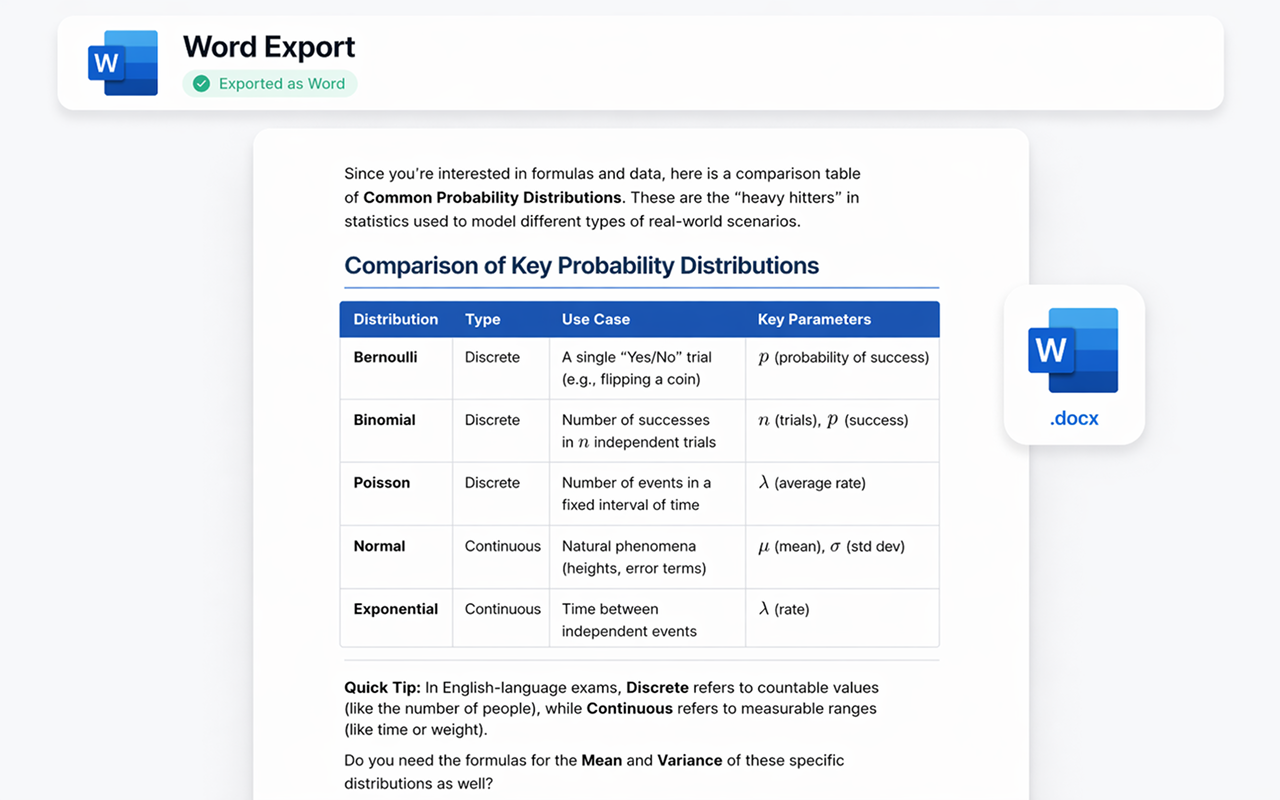
Microsoft Word के रूप में एक्सपोर्ट करें
आपकी Claude बातचीत एक पेशेवर रूप से फॉर्मैट की गई .docx फ़ाइल बन जाती है। शीर्षक, बोल्ड टेक्स्ट, तालिकाएँ और कोड ब्लॉक सभी सुरक्षित हैं — संपादित करने, साझा करने, या प्रिंट करने के लिए तैयार।
- ✓ पूरी फॉर्मैटिंग सुरक्षित
- ✓ संपादन योग्य .docx फ़ाइल
- ✓ कस्टम फ़ॉन्ट और रंग
- ✓ तत्काल डाउनलोड
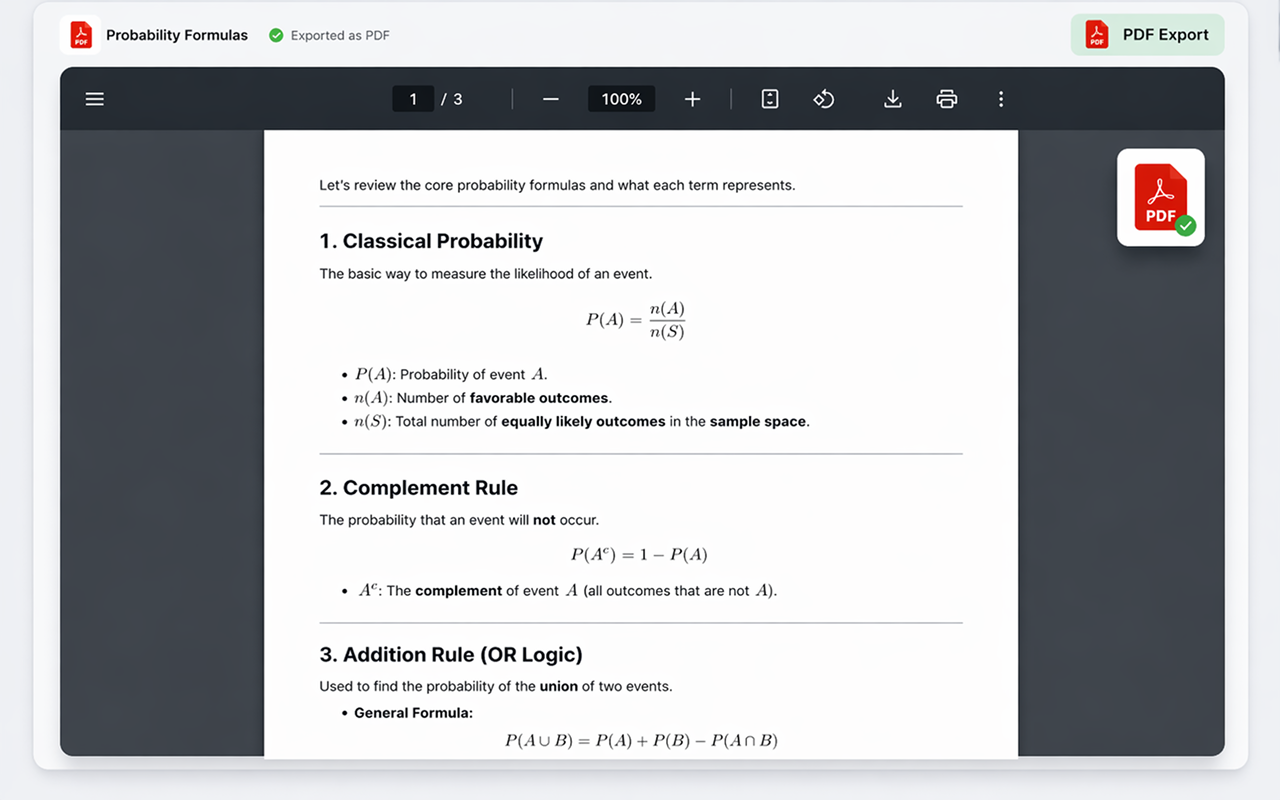
PDF के रूप में एक्सपोर्ट करें
Generate a pixel-perfect .pdf ready for sharing, printing, or archiving. Code blocks keep monospace formatting and math equations are rendered so they look right every time.
- ✓ प्रिंट-रेडी गुणवत्ता
- ✓ Code blocks & math preserved
- ✓ मल्टी-पेज समर्थन
- ✓ तत्काल डाउनलोड
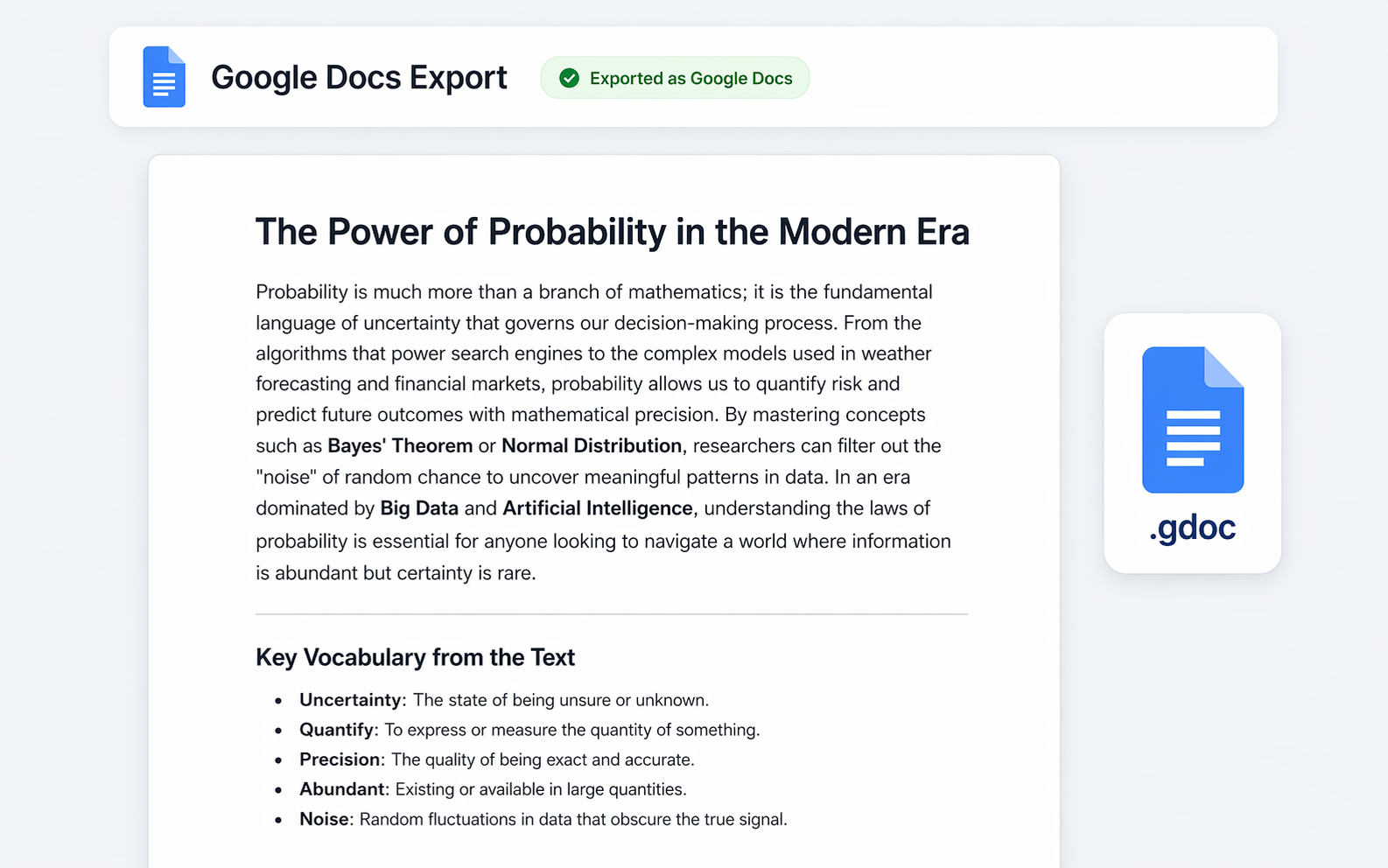
Google Docs में एक्सपोर्ट करें
अपनी Claude बातचीत को सीधे Google Drive में एक सहयोगी दस्तावेज़ के रूप में भेजें। टीमों, छात्रों, या Google इकोसिस्टम में रहने वाले किसी भी व्यक्ति के लिए एकदम सही।
- ✓ Google Drive में सहेजा गया
- ✓ पूरी तरह से संपादन योग्य
- ✓ साझा करना आसान
- ✓ आपके खाते के साथ काम करता है
Notion में एक्सपोर्ट करें
Push your Claude conversation directly into your Notion workspace as a new page. Headings, lists, code blocks, tables and math equations all become native Notion blocks — searchable, editable, taggable.
- ✓ नेटिव Notion ब्लॉक
- ✓ भाषा के साथ कोड ब्लॉक
- ✓ लक्ष्य पेज या डेटाबेस चुनें
- ✓ एक बार कनेक्ट करें, कभी भी एक्सपोर्ट करें
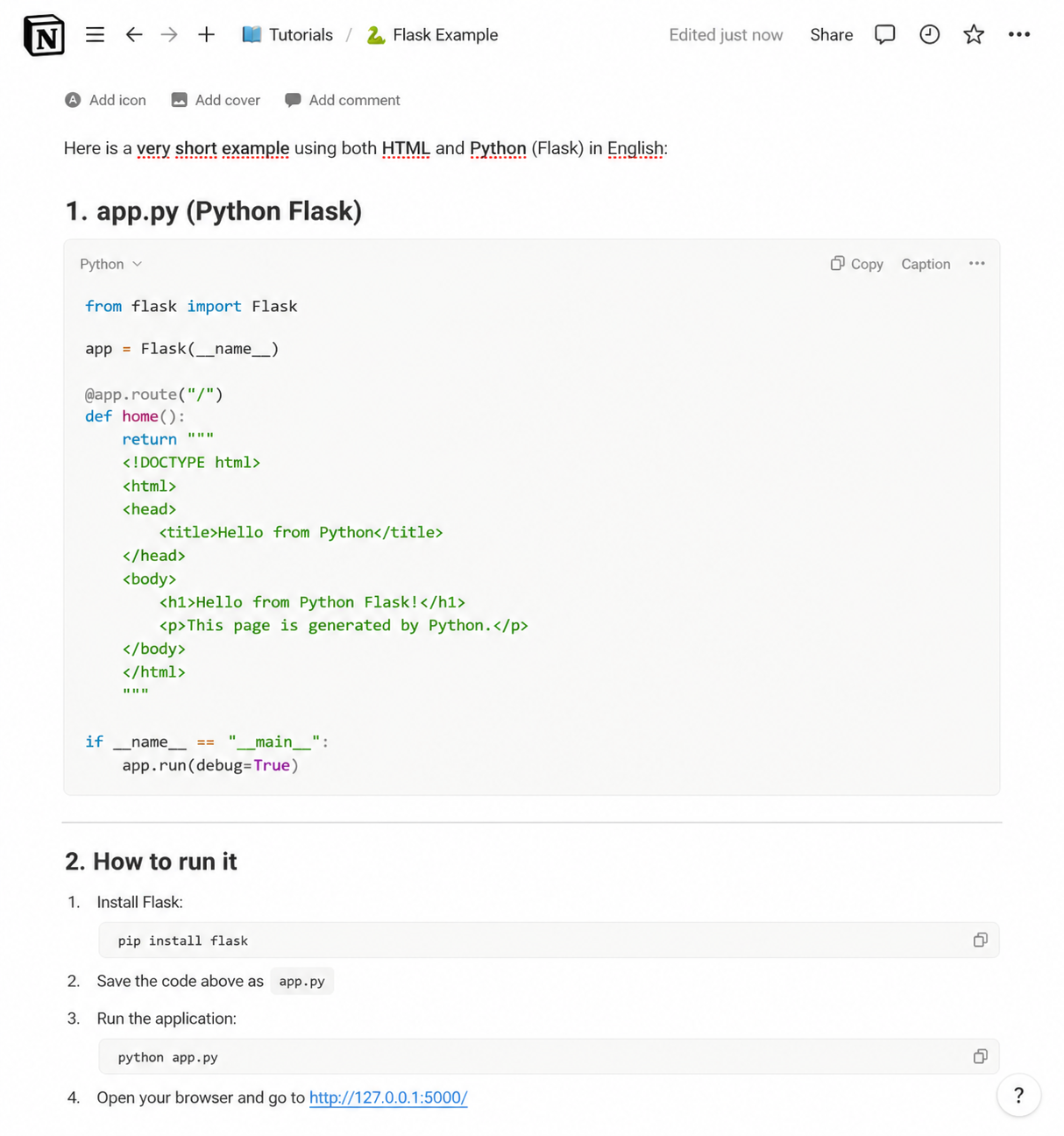
Markdown के रूप में एक्सपोर्ट करें
Get a clean .md file with all the structure intact — perfect for GitHub, Obsidian, VS Code, Hugo, or any tool that speaks Markdown. Full control, no proprietary formatting.
- ✓ साफ़, पोर्टेबल .md फ़ाइल
- ✓ फेंस्ड कोड ब्लॉक
- ✓ Works with Obsidian, GitHub, Hugo
- ✓ JSON export also available for devs
JSON के रूप में एक्सपोर्ट करें
Download the chat as structured .json in standard API message format (role and content). Perfect for developers building datasets, data pipelines, or fine-tuning AI models.
- ✓ मानक संदेश फॉर्मैट
- ✓ Role और content सुरक्षित
- ✓ डेटासेट और पाइपलाइन के लिए बढ़िया
- ✓ फाइन-ट्यूनिंग वर्कफ़्लो के लिए तैयार
प्रत्येक एक्सपोर्ट को बारीकी से समायोजित करें
फ़ॉन्ट, टेक्स्ट आकार, शीर्षक रंग, संरेखण, और कौन से एक्सपोर्ट बटन दिखाई देते हैं, इन्हें अनुकूलित करने के लिए उन्नत सेटिंग्स पैनल का उपयोग करें। प्रत्येक एक्सपोर्ट को अपनी शैली से मिलाएँ।
एक्सटेंशन प्राप्त करें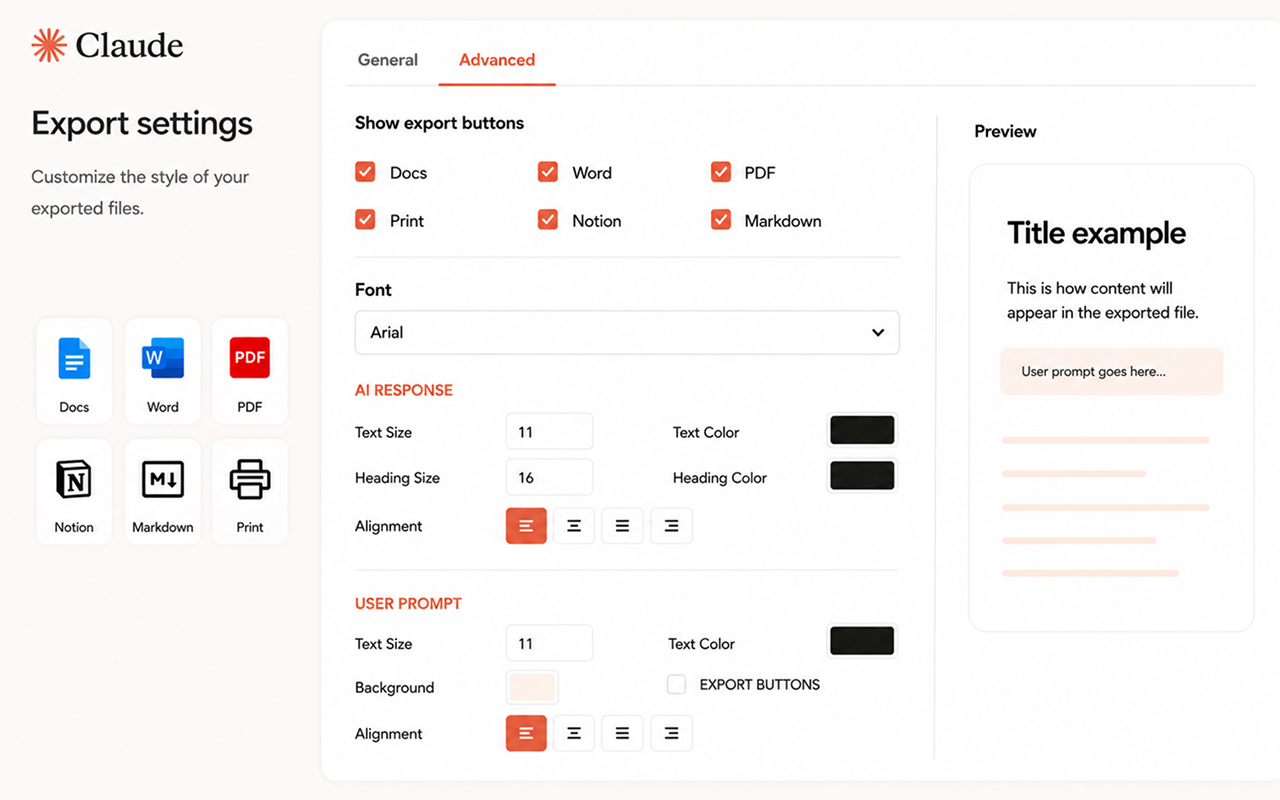
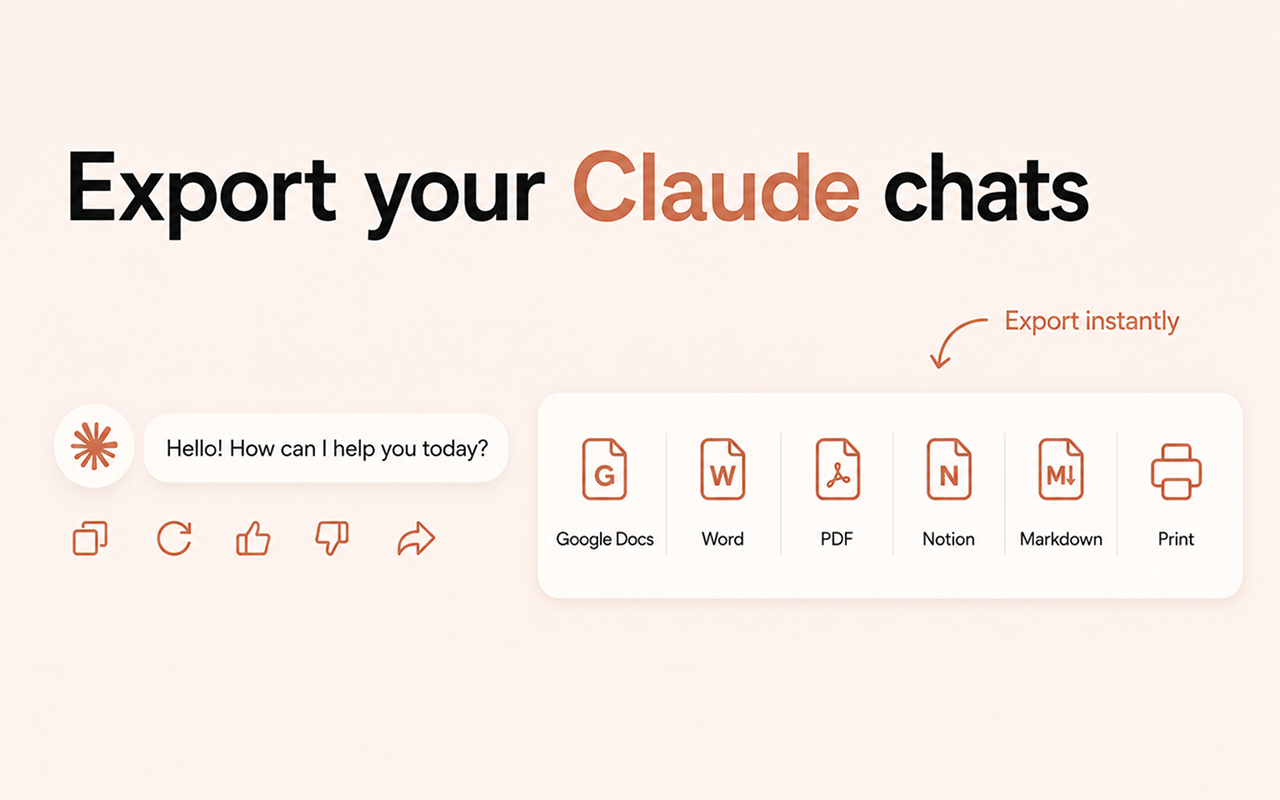
Export icons appear right in Claude
No need to leave the page or open extra menus. Chat Exporter for Claude adds subtle format icons directly inside each Claude response — plus a global icon in the top bar for full-chat export.
Claude जिस तरह जवाब देता है, ठीक उसी के लिए बना
Claude लंबे और सुव्यवस्थित जवाब देता है, जिनमें कोड और गणित भरा होता है। आम तौर पर यही हिस्से सबसे पहले बिगड़ते हैं।
लंबे कोड ब्लॉक पूरे बचे रहते हैं
Claude अक्सर सैकड़ों लाइन लंबी फ़ाइलें लौटाता है। वे एक ही अटूट मोनोस्पेस ब्लॉक के रूप में एक्सपोर्ट होती हैं, इंडेंटेशन और भाषा के लेबल के साथ।
गणित बनता है असली समीकरण
रेंडर किया गया गणित इमेज में सपाट होने के बजाय Word या Google Docs के असली समीकरण ऑब्जेक्ट में बदलता है, इसलिए वह साफ़ भी रहता है और संपादन योग्य भी।
रीज़निंग पढ़ने लायक बनी रहती है
जब Claude अपनी विस्तृत सोच दिखाता है, तो वह अलग से चिह्नित ब्लॉक में एक्सपोर्ट होती है, ताकि आप सोच और अंतिम जवाब में फ़र्क कर सकें।
टेबल, सूचियाँ और हेडिंग
नेस्टेड सूचियाँ, हेडिंग और Markdown टेबल सपाट पैराग्राफ़ में ढहने के बजाय Word और Docs के सही रूपों में उतरते हैं।
आम प्रश्न
How do I save a Claude conversation?
Open the chat on claude.ai, click a format icon next to a message, and the file downloads instantly. Use the global icon in the top bar to export the entire conversation.
Does it preserve code blocks and math equations?
Yes. Code blocks keep their monospace formatting and language tags; math equations are rendered as images so they look correct in Word and PDF.
Is my data safe?
Absolutely. The extension processes content on demand in your browser. Nothing is logged, stored on a server, or shared without your action.
Do I need an account for Notion or Google Docs?
For Google Docs you'll sign in once with your Google account so the document can be saved to your Drive. For Notion you'll connect your Notion workspace once. Word, PDF, Markdown and JSON exports work without signing in.
Can I export just my prompts or just Claude's answers?
Yes. Toggle Answers only, Prompts only, or Everything in Settings — or tick the checkboxes next to individual messages for a manual selection.
क्या बहुत लंबा कोड ब्लॉक पूरा एक्सपोर्ट होगा?
हाँ। लंबे ब्लॉक पूरे एक्सपोर्ट होते हैं, इंडेंटेशन और भाषा के साथ। कोई लाइन सीमा नहीं है और कुछ भी अधूरा नहीं छोड़ा जाता।
Claude की विस्तृत सोच को कैसे संभाला जाता है?
जब बातचीत में सोच दिखाई देती है, तो वह अपने अलग और स्पष्ट रूप से चिह्नित ब्लॉक में एक्सपोर्ट होती है, जिससे वह अंतिम जवाब से अलग पहचानी जाती रहती है।
क्या यह Projects के अंदर काम करता है?
हाँ। Projects के अंदर की बातचीत पर भी एक्सपोर्ट बटन उसी तरह दिखते हैं जैसे किसी सामान्य चैट पर।
सरल, पारदर्शी मूल्य निर्धारण
निःशुल्क शुरू करें। असीमित एक्सपोर्ट की आवश्यकता होने पर ही अपग्रेड करें।
मासिक
जब उपयोग करें तभी भुगतान करें, कभी भी रद्द करें
- असीमित एक्सपोर्ट
- सभी एक्सपोर्ट फॉर्मैट
- प्राथमिकता समर्थन
3 महीने
$7.00/माह — मासिक की तुलना में 13% बचाएँ
- असीमित एक्सपोर्ट
- सभी एक्सपोर्ट फॉर्मैट
- प्राथमिकता समर्थन
6 महीने
$6.50/माह — मासिक की तुलना में 19% बचाएँ
- असीमित एक्सपोर्ट
- सभी एक्सपोर्ट फॉर्मैट
- प्राथमिकता समर्थन
वार्षिक
$5.75/माह — मासिक की तुलना में 28% बचाएँ
- असीमित एक्सपोर्ट
- सभी एक्सपोर्ट फॉर्मैट
- प्राथमिकता समर्थन
- 4 महीने निःशुल्क
आज ही अपनी Claude चैट एक्सपोर्ट करना शुरू करें
claude.ai पर तुरंत काम करता है।
Add to ChromeChrome Web Store पर उपलब्ध