अपनी
DeepSeek चैट
एक क्लिक में एक्सपोर्ट करें
Save full conversations or selected messages as Word, PDF, Google Docs, Notion, or Markdown — directly from DeepSeek. Reasoning chains and code blocks preserved.
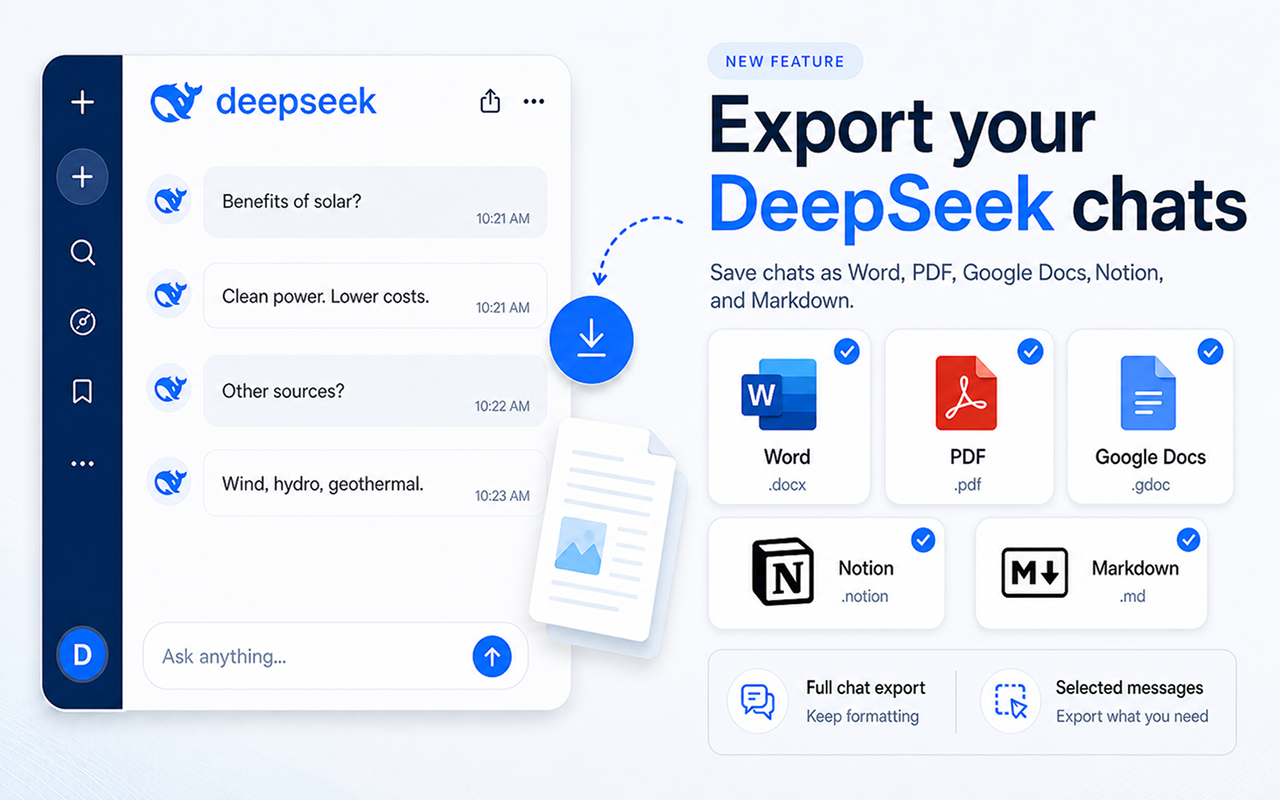
सभी प्रमुख फॉर्मैट का समर्थन
Everything you need to save your chats
शक्तिशाली एक्सपोर्ट उपकरण सीधे DeepSeek के इंटरफ़ेस में निर्मित।
पूरी चैट एक्सपोर्ट
Export your entire DeepSeek conversation with perfect formatting — headings, bold text, code blocks, and lists all preserved.
Reasoning Chain
DeepSeek's chain-of-thought reasoning is captured in the export — keep the full thinking process, not just the final answer.
Code Blocks Preserved
Code snippets keep their language, indentation, and syntax structure — perfect for technical conversations and engineering work.
एक-क्लिक एक्सपोर्ट
Six export buttons appear right inside DeepSeek. Click once and your chat is saved instantly — no extra steps needed.
कुछ ही सेकंड में तैयार
किसी भी DeepSeek बातचीत को एक्सपोर्ट करने के तीन सरल चरण।
एक्सटेंशन इंस्टॉल करें
Web Store से Chrome में Chat Exporter for DeepSeek जोड़ें।
कोई भी DeepSeek चैट खोलें
chat.deepseek.com पर जाएँ और वह बातचीत खोलें जिसे आप एक्सपोर्ट करना चाहते हैं। एक्सपोर्ट बटन स्वचालित रूप से दिखाई देते हैं।
एक्सपोर्ट के लिए क्लिक
Choose Word, PDF, Google Docs, Notion, or Markdown. Your chat is exported instantly with reasoning chain and formatting preserved.
छह फॉर्मैट। हर बार सही परिणाम।
आपकी DeepSeek चैट, ठीक वहीं सुंदर तरीके से फॉर्मैट की गई जहाँ आपको उनकी आवश्यकता है।
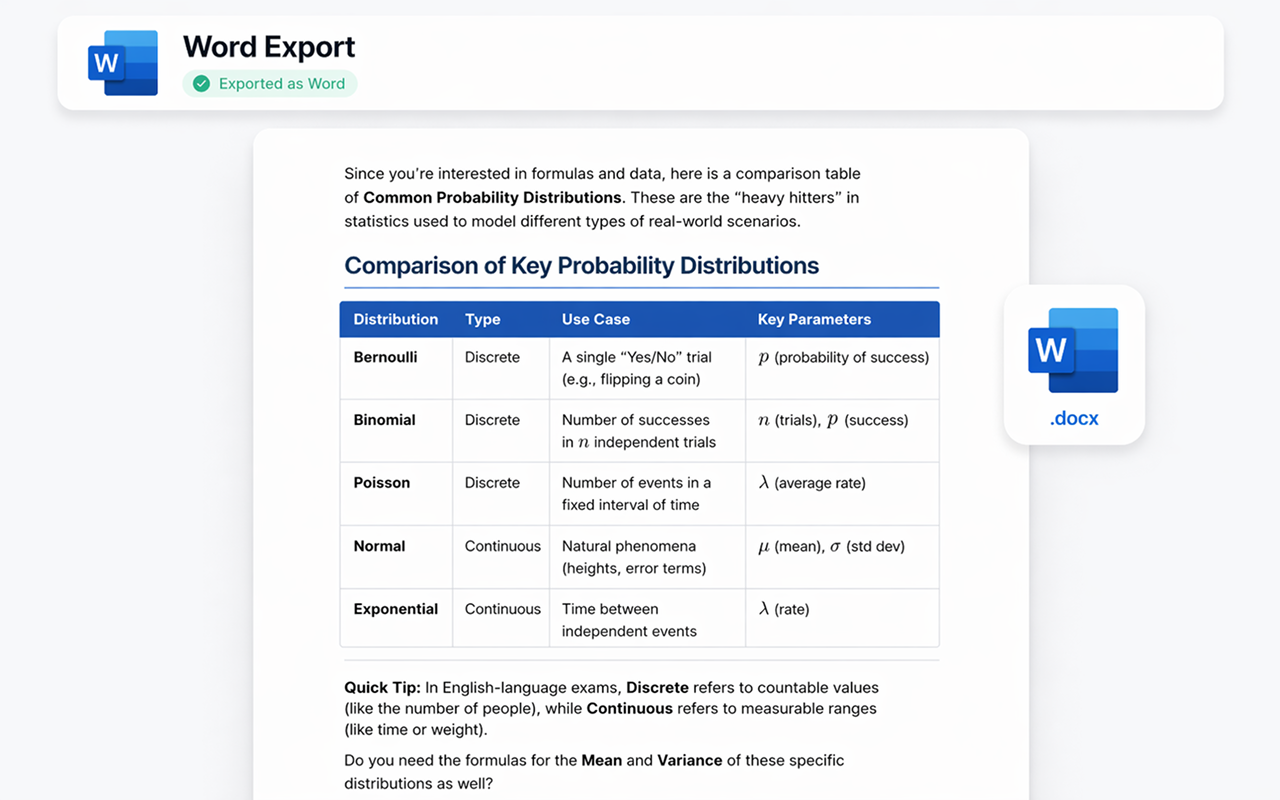
Microsoft Word के रूप में एक्सपोर्ट करें
Your DeepSeek conversation becomes a professionally formatted .docx file. Reasoning chains, code blocks, and headings are all preserved — ready to edit, share, or print.
- ✓ पूरी फॉर्मैटिंग सुरक्षित
- ✓ भाषा के साथ कोड ब्लॉक
- ✓ संपादन योग्य .docx फ़ाइल
- ✓ तत्काल डाउनलोड
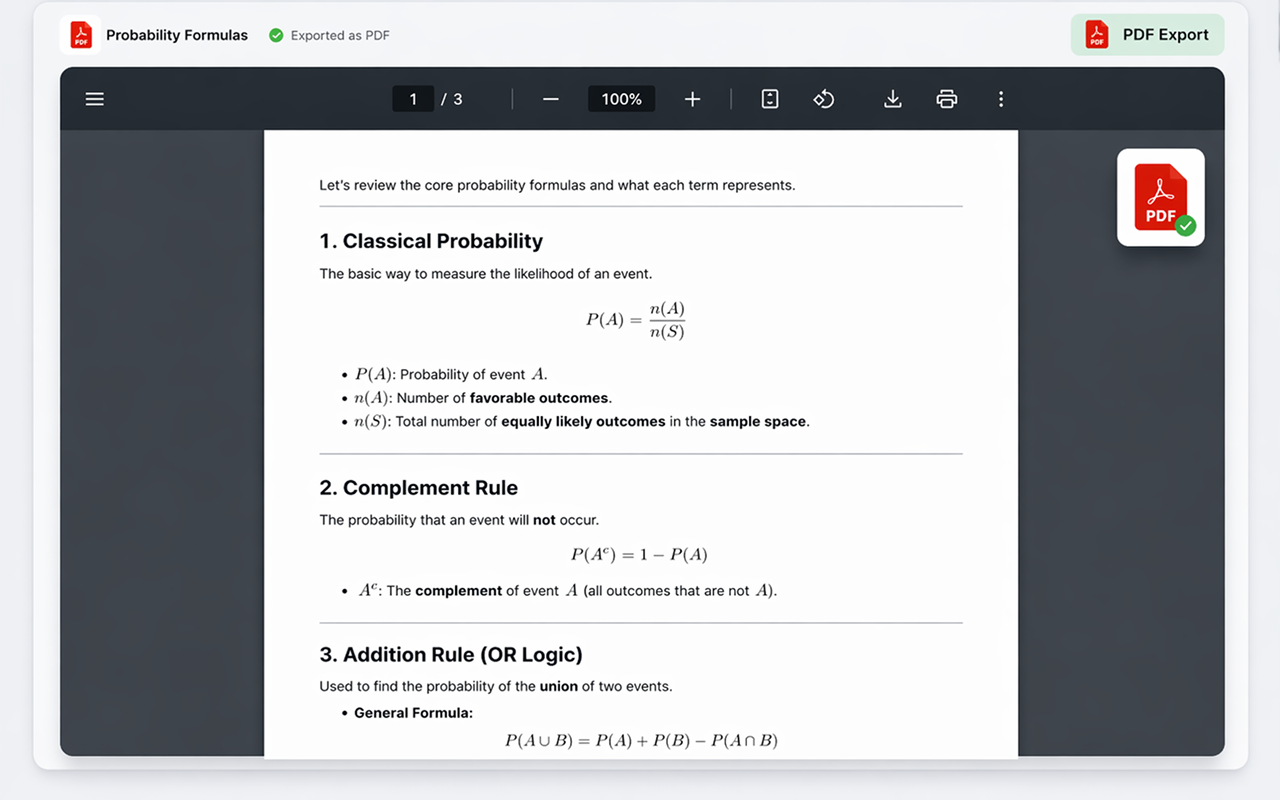
PDF के रूप में एक्सपोर्ट करें
साझा करने, प्रिंट करने, या संग्रहीत करने के लिए तैयार पिक्सेल-परफेक्ट .pdf फ़ाइल जनरेट करें। लेआउट और फॉर्मैटिंग ठीक वैसी ही रहती है जैसा आप DeepSeek में देखते हैं — कोई आश्चर्य नहीं।
- ✓ प्रिंट-रेडी गुणवत्ता
- ✓ वफादार लेआउट
- ✓ मल्टी-पेज समर्थन
- ✓ तत्काल डाउनलोड
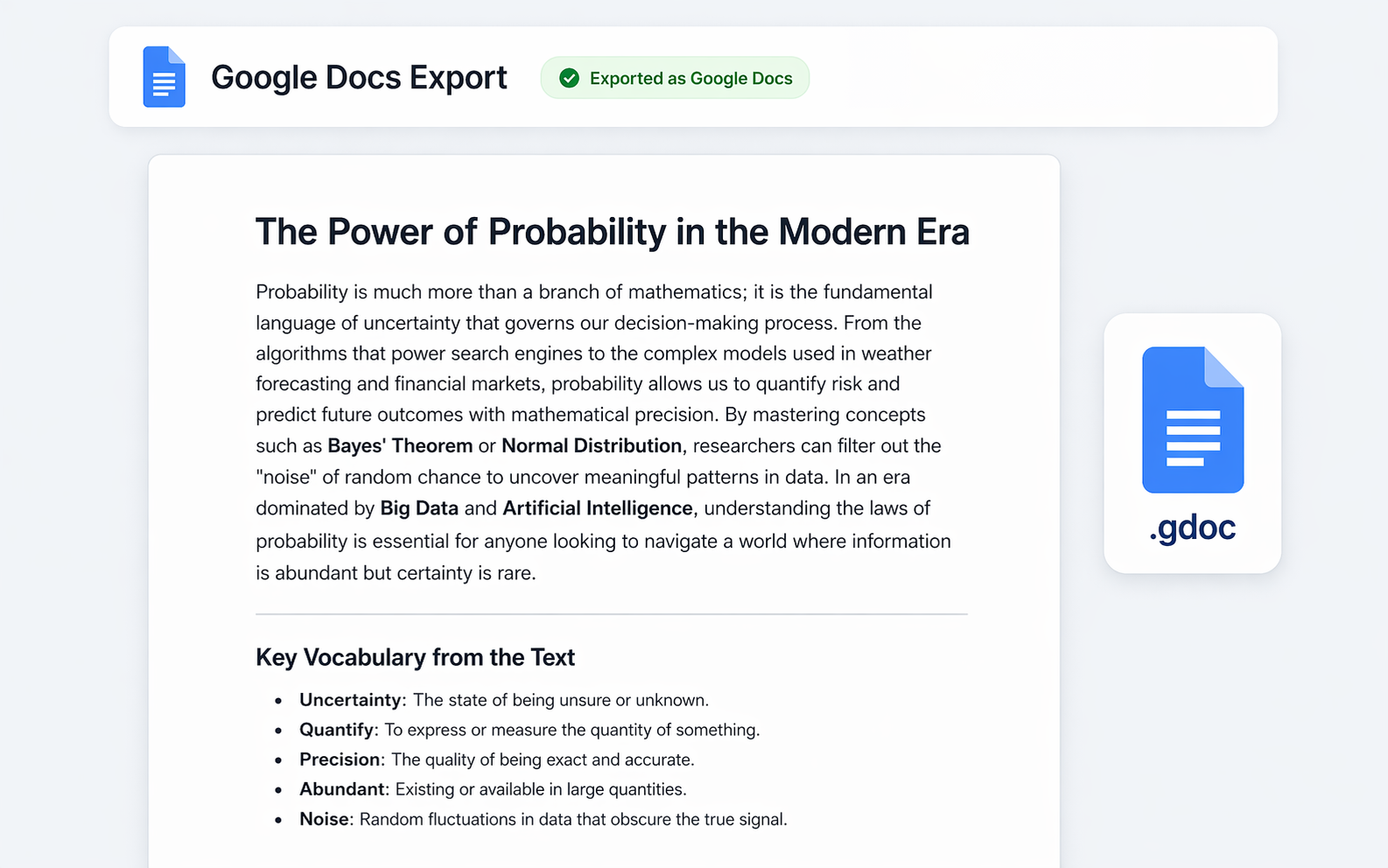
Google Docs में एक्सपोर्ट करें
अपनी DeepSeek बातचीत को सीधे Google Drive में एक सहयोगी दस्तावेज़ के रूप में भेजें। टीमों, छात्रों, या Google इकोसिस्टम में रहने वाले किसी भी व्यक्ति के लिए एकदम सही।
- ✓ Google Drive में सहेजा गया
- ✓ पूरी तरह से संपादन योग्य
- ✓ साझा करना आसान
- ✓ आपके खाते के साथ काम करता है
Notion में एक्सपोर्ट करें
Push your DeepSeek conversation directly into your Notion workspace as a new page. Headings, toggles, code blocks, and reasoning chains all become native Notion blocks.
- ✓ नेटिव Notion ब्लॉक
- ✓ भाषा के साथ कोड ब्लॉक
- ✓ लक्ष्य पेज या डेटाबेस चुनें
- ✓ एक बार कनेक्ट करें, कभी भी एक्सपोर्ट करें
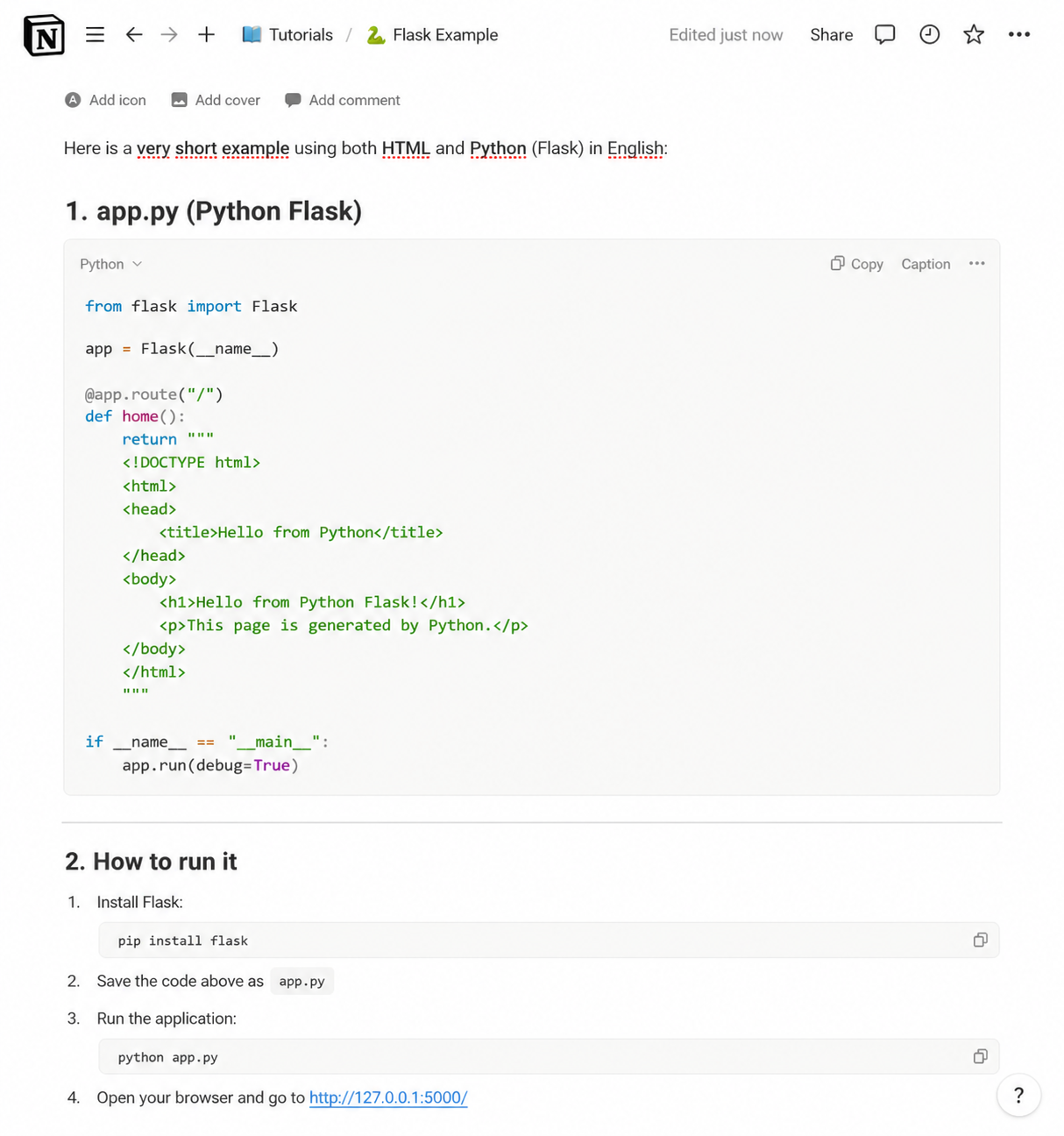
Markdown के रूप में एक्सपोर्ट करें
Get a clean .md file with all the structure intact — perfect for GitHub, Obsidian, VS Code, static-site generators, or any tool that speaks Markdown.
- ✓ साफ़, पोर्टेबल .md फ़ाइल
- ✓ फेंस्ड कोड ब्लॉक
- ✓ Reasoning chain included
- ✓ क्लिपबोर्ड में कॉपी करने का विकल्प
JSON के रूप में एक्सपोर्ट करें
Download the chat as structured .json in standard API message format (role and content). Perfect for developers building datasets, data pipelines, or fine-tuning AI models.
- ✓ मानक संदेश फॉर्मैट
- ✓ Role और content सुरक्षित
- ✓ डेटासेट और पाइपलाइन के लिए बढ़िया
- ✓ फाइन-ट्यूनिंग वर्कफ़्लो के लिए तैयार
प्रत्येक एक्सपोर्ट को बारीकी से समायोजित करें
फ़ॉन्ट, टेक्स्ट आकार, शीर्षक रंग, संरेखण, और कौन से एक्सपोर्ट बटन दिखाई देते हैं, इन्हें अनुकूलित करने के लिए उन्नत सेटिंग्स पैनल का उपयोग करें। प्रत्येक एक्सपोर्ट को अपनी शैली से मिलाएँ।
एक्सटेंशन प्राप्त करें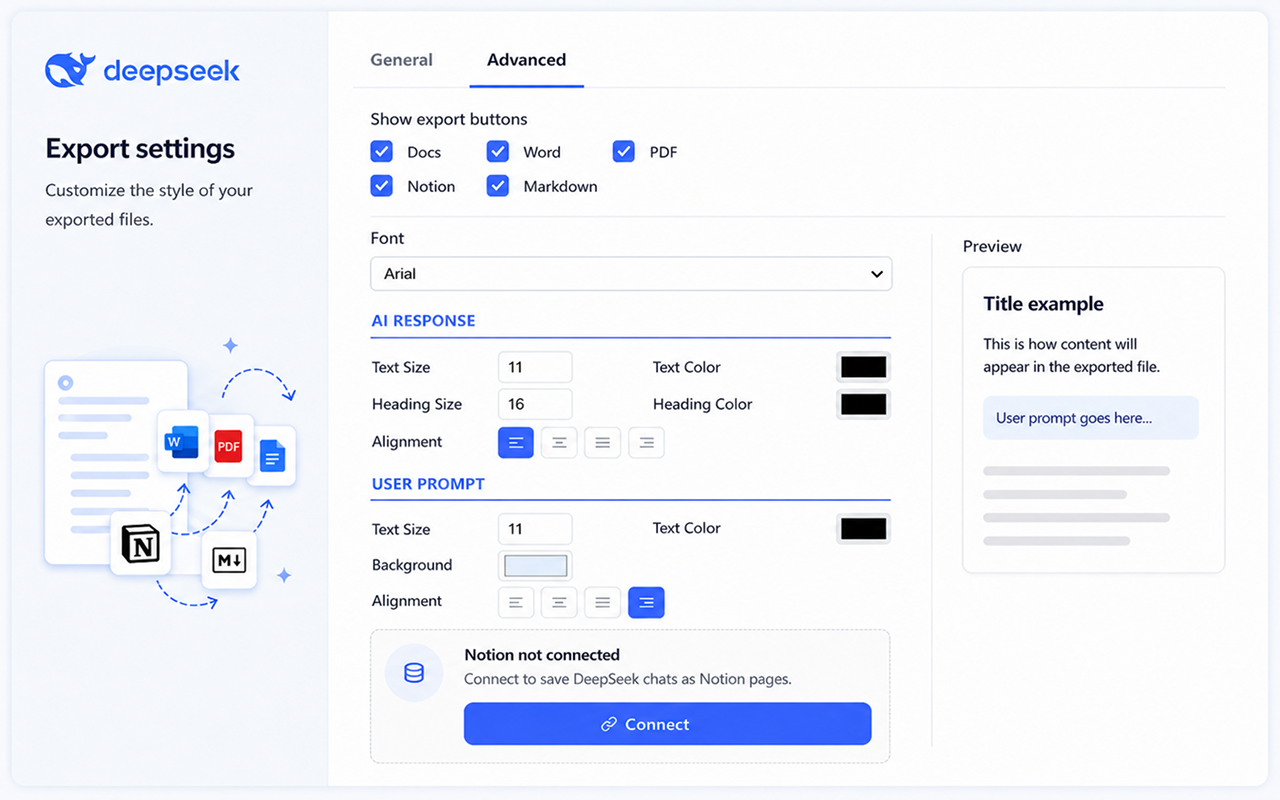
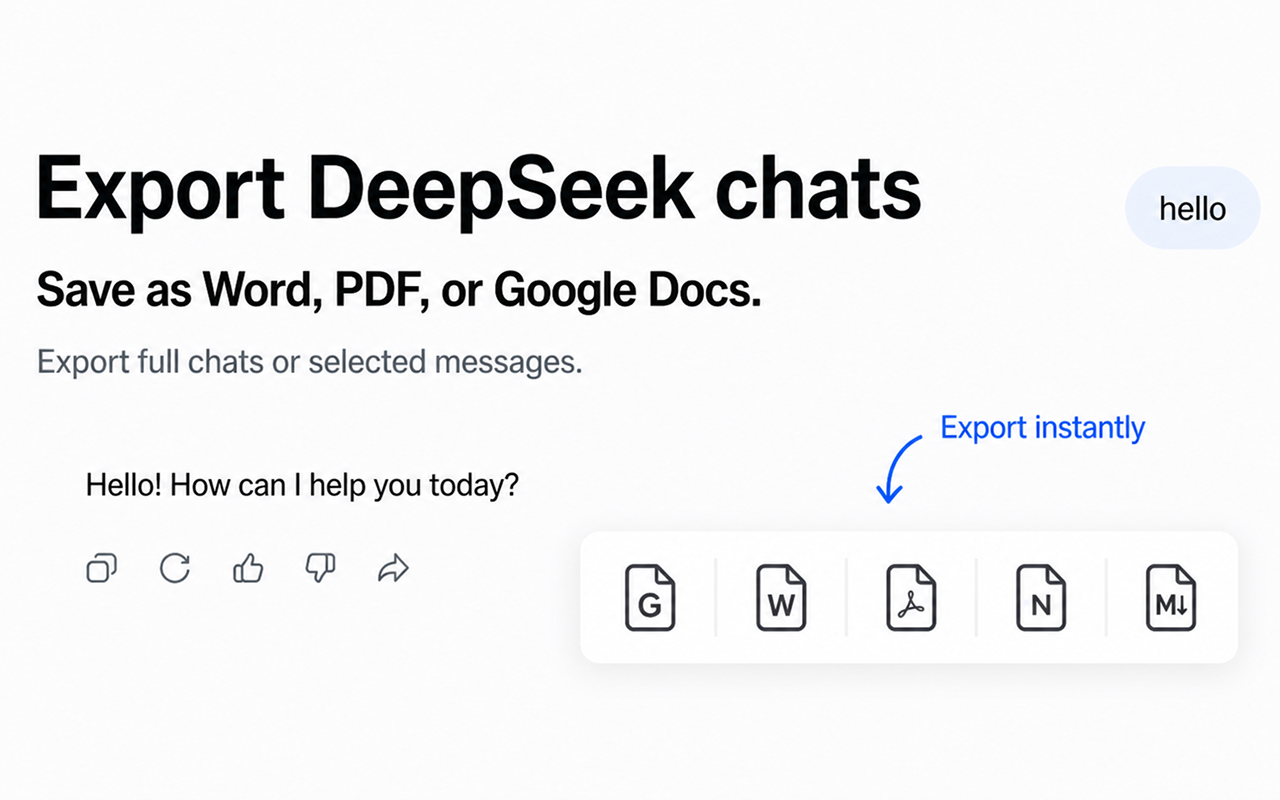
एक्सपोर्ट बटन सीधे DeepSeek में दिखाई देते हैं
पेज छोड़ने या अतिरिक्त मेनू खोलने की आवश्यकता नहीं। Chat Exporter for DeepSeek प्रत्येक DeepSeek प्रतिक्रिया के अंदर सीधे सूक्ष्म एक्सपोर्ट बटन जोड़ता है। बस उस फॉर्मैट पर क्लिक करें जो आप चाहते हैं।
रीज़निंग की पूरी कड़ी और डायग्राम, दोनों सलामत
DeepSeek की रीज़निंग और उसके रेंडर किए गए ग्राफ़िक, सादा कॉपी-पेस्ट यही दो चीज़ें सबसे पहले बरबाद करता है।
रीज़निंग की पूरी कड़ी बनी रहती है
DeepSeek की सोच वाला हिस्सा अपने अलग चिह्नित ब्लॉक में एक्सपोर्ट होता है, ताकि तर्क की पूरी कड़ी अंतिम जवाब के साथ बनी रहे।
डायग्राम गायब नहीं होते
DeepSeek का कुछ आउटपुट SVG के रूप में रेंडर होता है, जो Word या PDF में पेस्ट करते ही अक्सर गायब हो जाता है। हम एक्सपोर्ट के दौरान उसे रास्टर कर देते हैं, ताकि फ़ाइल खोलने पर ग्राफ़िक मौजूद रहे।
लंबे कोड ब्लॉक पूरे रहते हैं
कई सौ लाइन तक चलने वाले जवाब भी अटूट ब्लॉक के रूप में एक्सपोर्ट होते हैं, इंडेंटेशन और भाषा के साथ।
मिली-जुली भाषा वाले जवाब
चीनी और अंग्रेज़ी मिलाकर हुई बातचीत हर एक्सपोर्ट फ़ॉर्मैट में सही कैरेक्टर एन्कोडिंग बनाए रखती है, कहीं भी टूटे-फूटे अक्षर नहीं।
आम प्रश्न
क्या यह सभी DeepSeek बातचीत के साथ काम करता है?
Yes. The extension works on chat.deepseek.com and integrates with all your existing and new conversations, including DeepThink (reasoning) responses.
Is the reasoning chain (chain-of-thought) included?
Yes. When DeepSeek shows its thinking process, the export captures it alongside the final answer — clearly separated so the document stays readable.
Is my data safe?
बिल्कुल। एक्सटेंशन सभी डेटा को सीधे आपके ब्राउज़र में प्रोसेस करता है। हम कभी भी आपका चैट डेटा किसी बाहरी सर्वर पर नहीं भेजते।
Do I need an account for Notion or Google Docs?
Google Docs के लिए आपको एक बार अपने Google खाते से साइन इन करना होगा ताकि दस्तावेज़ आपके Drive में सहेजा जा सके। Notion के लिए आप एक बार अपने Notion वर्कस्पेस को कनेक्ट करेंगे। Word, PDF, और Markdown एक्सपोर्ट के लिए साइन इन की आवश्यकता नहीं है।
Can I export only part of a conversation?
Yes. You can export the full conversation or pick specific messages — perfect for saving only the parts that matter to you.
क्या DeepSeek की रीज़निंग कड़ी एक्सपोर्ट में शामिल होती है?
हाँ। सोच वाला हिस्सा अंतिम जवाब के साथ अलग चिह्नित ब्लॉक में एक्सपोर्ट होता है, इसलिए रीज़निंग खोती नहीं है।
DeepSeek से कॉपी करने पर डायग्राम क्यों गायब हो जाते हैं?
DeepSeek का कुछ आउटपुट SVG के रूप में रेंडर होता है, जिसे कई एडिटर पेस्ट करते समय छोड़ देते हैं। Chat Exporter एक्सपोर्ट के दौरान उसे रास्टर कर देता है, जिससे ग्राफ़िक Word और PDF में बचा रहता है।
क्या चीनी और अंग्रेज़ी मिले जवाब सही एक्सपोर्ट होते हैं?
हाँ। हर एक्सपोर्ट फ़ॉर्मैट में कैरेक्टर एन्कोडिंग बनी रहती है, इसलिए मिली-जुली लिपि वाली बातचीत टूटे-फूटे अक्षरों में नहीं बदलती।
सरल, पारदर्शी मूल्य निर्धारण
निःशुल्क शुरू करें। असीमित एक्सपोर्ट की आवश्यकता होने पर ही अपग्रेड करें।
मासिक
जब उपयोग करें तभी भुगतान करें, कभी भी रद्द करें
- असीमित एक्सपोर्ट
- सभी एक्सपोर्ट फॉर्मैट
- प्राथमिकता समर्थन
3 महीने
$7.00/माह — मासिक की तुलना में 13% बचाएँ
- असीमित एक्सपोर्ट
- सभी एक्सपोर्ट फॉर्मैट
- प्राथमिकता समर्थन
6 महीने
$6.50/माह — मासिक की तुलना में 19% बचाएँ
- असीमित एक्सपोर्ट
- सभी एक्सपोर्ट फॉर्मैट
- प्राथमिकता समर्थन
वार्षिक
$5.75/माह — मासिक की तुलना में 28% बचाएँ
- असीमित एक्सपोर्ट
- सभी एक्सपोर्ट फॉर्मैट
- प्राथमिकता समर्थन
- 4 महीने निःशुल्क
आज ही अपनी DeepSeek चैट एक्सपोर्ट करना शुरू करें
chat.deepseek.com पर तुरंत काम करता है।
Add to ChromeChrome Web Store पर उपलब्ध