
How to Export a Grok Chat to Word, PDF or Google Docs
Save Grok answers and full conversations as Word, PDF, Google Docs, Markdown or TXT with one click.
Grok conversations are full of quick research, summaries and code. When you want to keep them, share them or work on them further, a clean document beats a screenshot.
Export a single Grok answer
Under every Grok reply the extension adds a small row of export buttons. By default you will see Google Docs, Word and PDF.
- Open the conversation on
grok.com. - Find the answer you want to keep and click the button for the format you need.
- The file downloads (or opens in Google Docs) a few seconds later, named after the chat title.
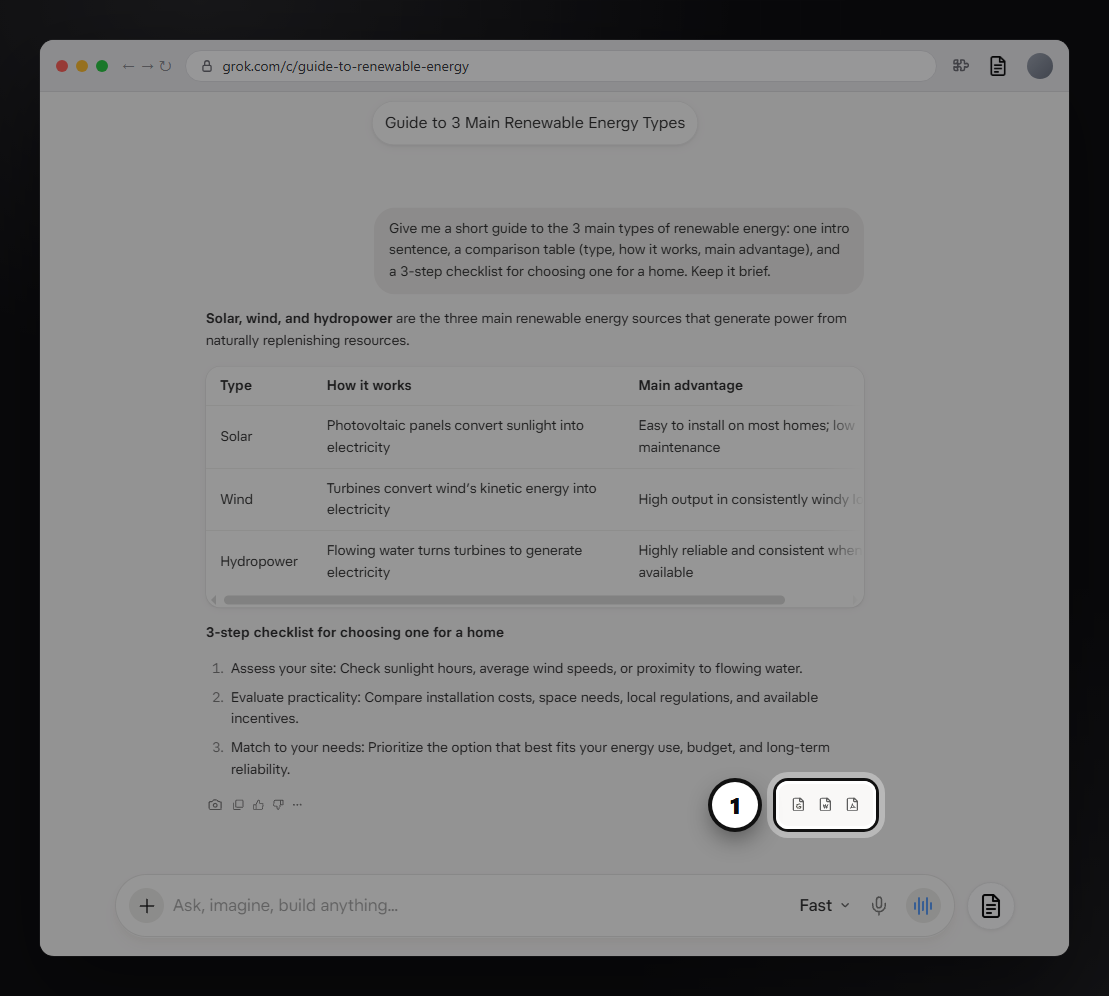
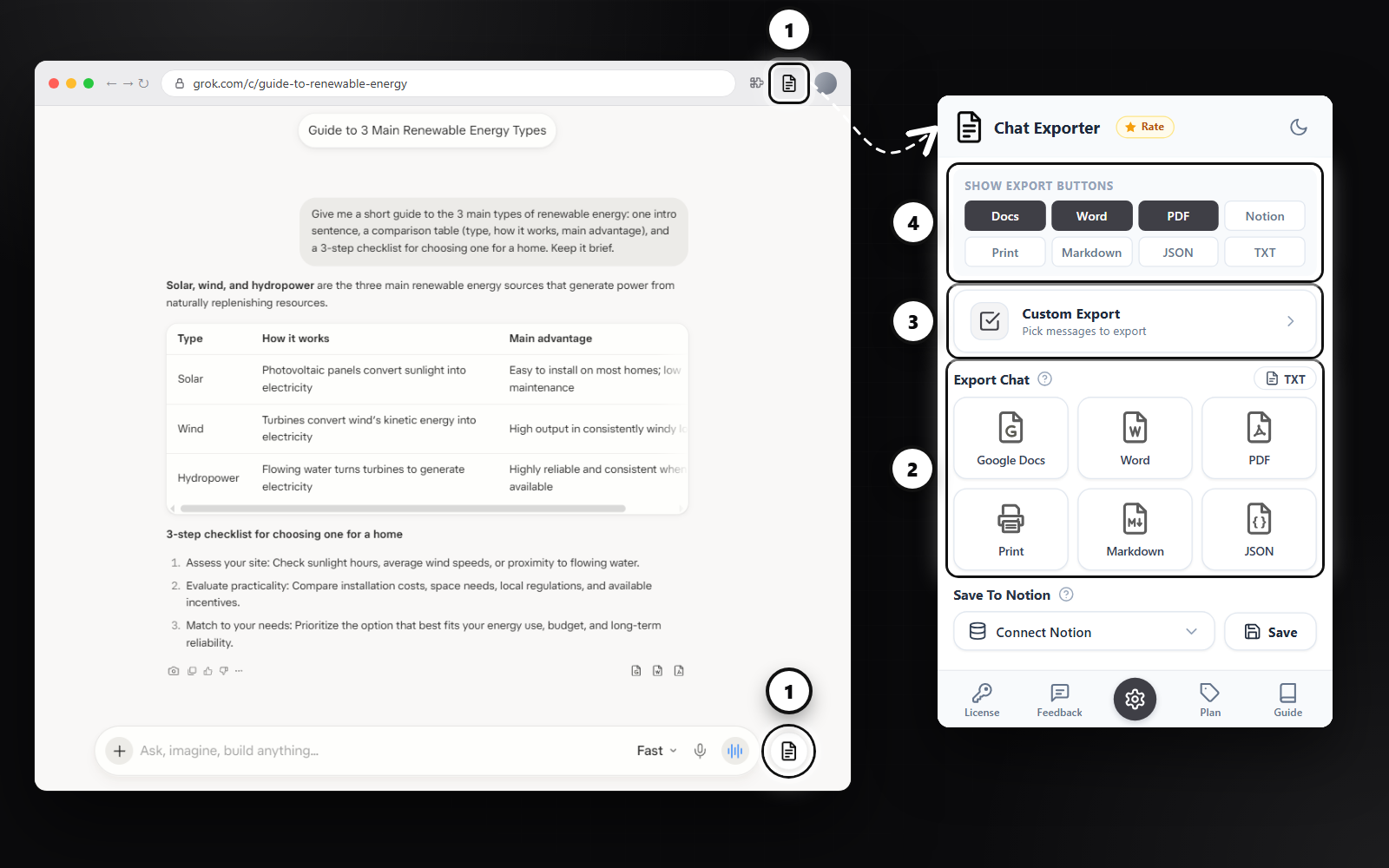
Want Markdown or Notion under every answer too? Open the extension panel and turn them on under Show Export Buttons.
Export the whole Grok conversation
- Click the round Chat Exporter button next to the Grok message box, or the extension icon in the Chrome toolbar.
- Under Export Chat, pick a format. Every prompt and answer goes into one document, in order.
Export only the messages you choose
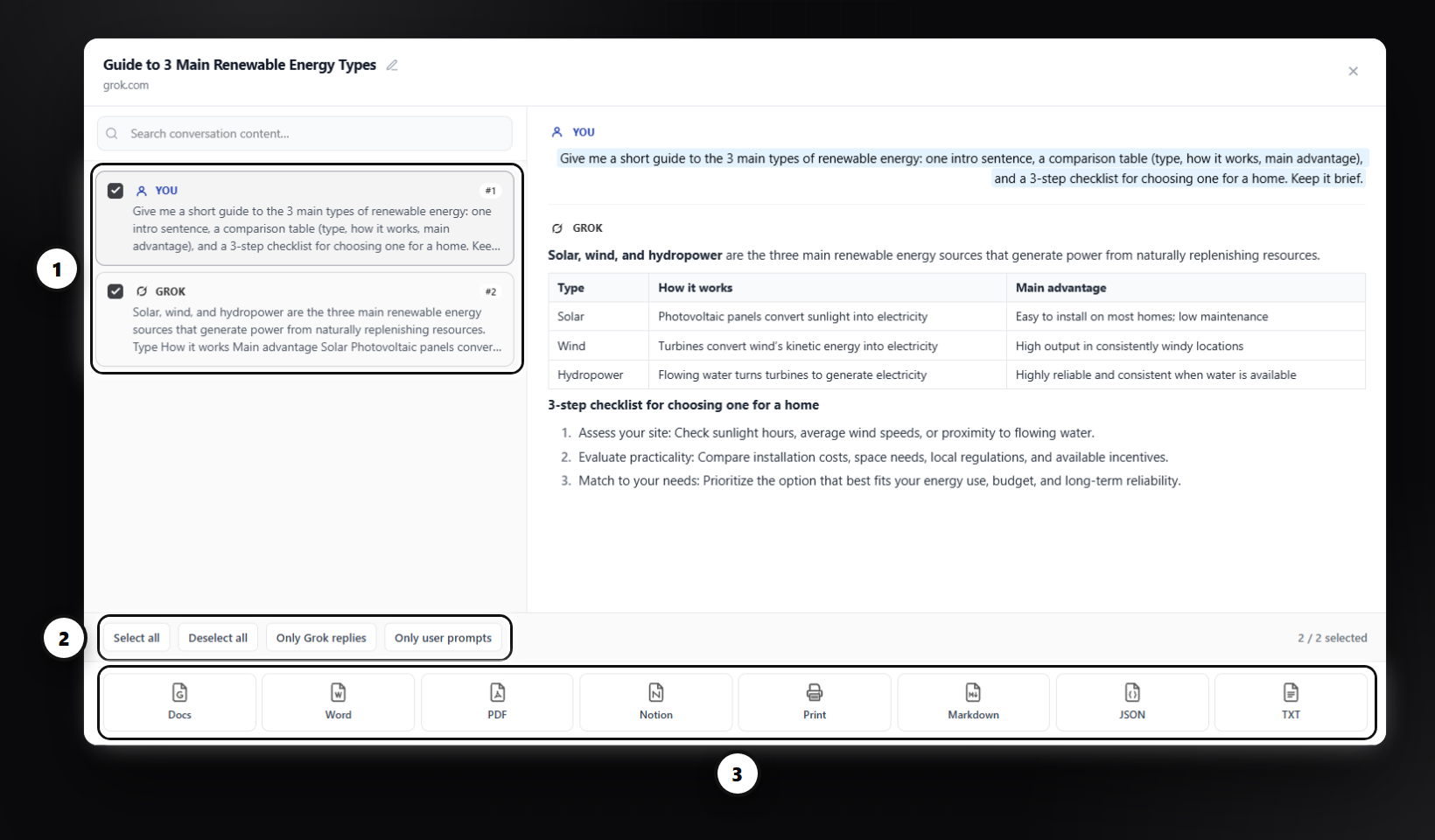
Long chats often contain detours. Custom Export lets you tick just the messages that matter, preview them, and export them together. Quick filters select everything, only your prompts, or only the Grok replies.
Which format should you pick?
| Format | Best for |
|---|---|
| Word (.docx) | Editing, reports, sharing with people who live in Office. Headings, tables, code and equations stay editable. |
| A fixed, print-ready copy of the Grok answer to send or archive. | |
| Google Docs | Saved straight to your Google Drive, ready to share and comment on. |
| Notion | Keeping answers next to your notes and projects. |
| Markdown | Obsidian, GitHub, static sites and other plain-text tools. |
| TXT | Plain text with no formatting at all. |
| JSON | Developers: every message with its role, ready to process in code. |
| Printing directly, or "Save as PDF" from the browser dialog. |
Tips
- Use TXT when you only need the words, for example to paste into another tool.
- Turn on Start each exchange on a new page for print-friendly documents.
FAQ
Does it keep working when Grok changes its layout?
We track Grok updates and fix the extension quickly when the page changes.
Is my conversation stored?
Markdown and JSON are built inside your browser. PDF, Word, Google Docs, Notion and Print are built on our server, returned to you and deleted; the conversation itself is not kept.
Free plan: 3 full-chat exports and 5 single-answer exports every month, all formats included. No card needed.