
How to Export a ChatGPT Conversation to Google Docs
Send a ChatGPT answer or a whole chat straight to Google Docs, with headings, real tables, code and editable equations, instead of fixing a messy paste.
ChatGPT is great for drafting. Google Docs is where the draft gets shared, commented on and finished. The step in between, copy and paste, is where the formatting falls apart.
Why not just copy and paste?
ChatGPT's copy button gives you Markdown, so tables arrive as rows of | characters and formulas as raw LaTeX. Selecting the text with your mouse is better, but math often appears twice and dark-mode text can come in white. We listed the usual problems in why AI answers break when you paste them. Exporting skips all of that.
One-time setup
The first time you export to Google Docs you sign in with your Google account and allow the extension to create documents in your Drive. After that, every export is one click.
Export a single ChatGPT answer
Under every ChatGPT reply the extension adds a small row of export buttons. By default you will see Google Docs, Word and PDF.
- Open the conversation on
chatgpt.com. - Find the answer you want to keep and click the button for the format you need.
- The file downloads (or opens in Google Docs) a few seconds later, named after the chat title.
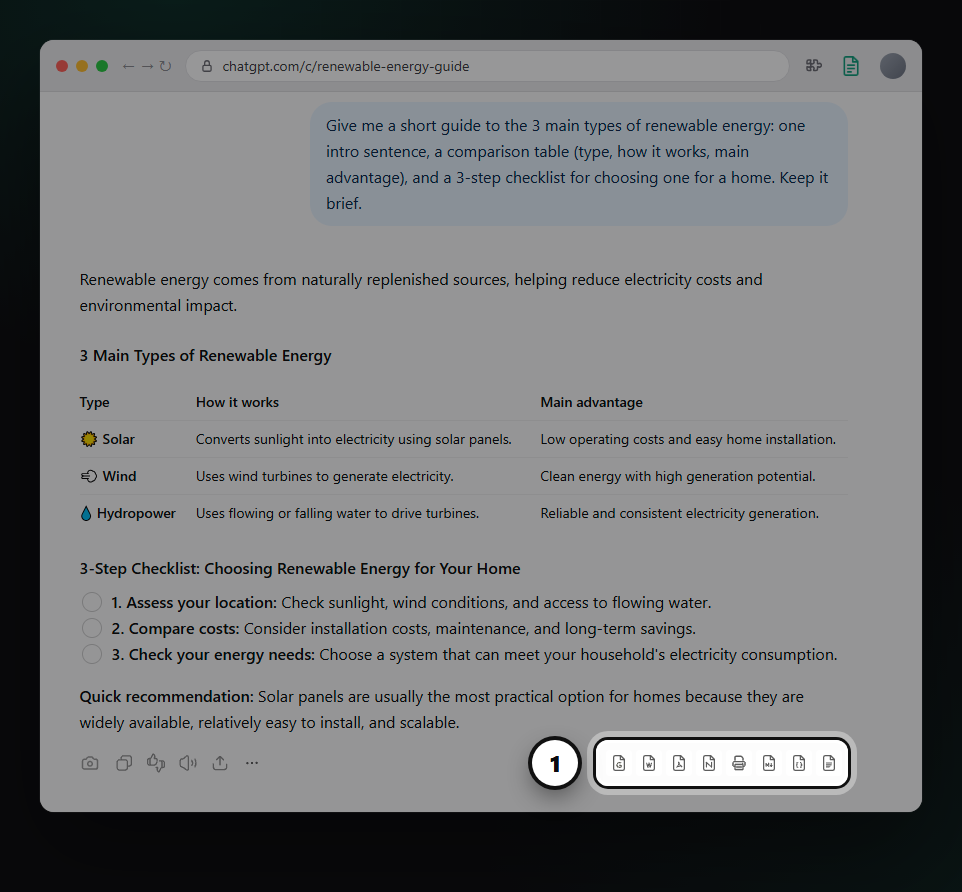
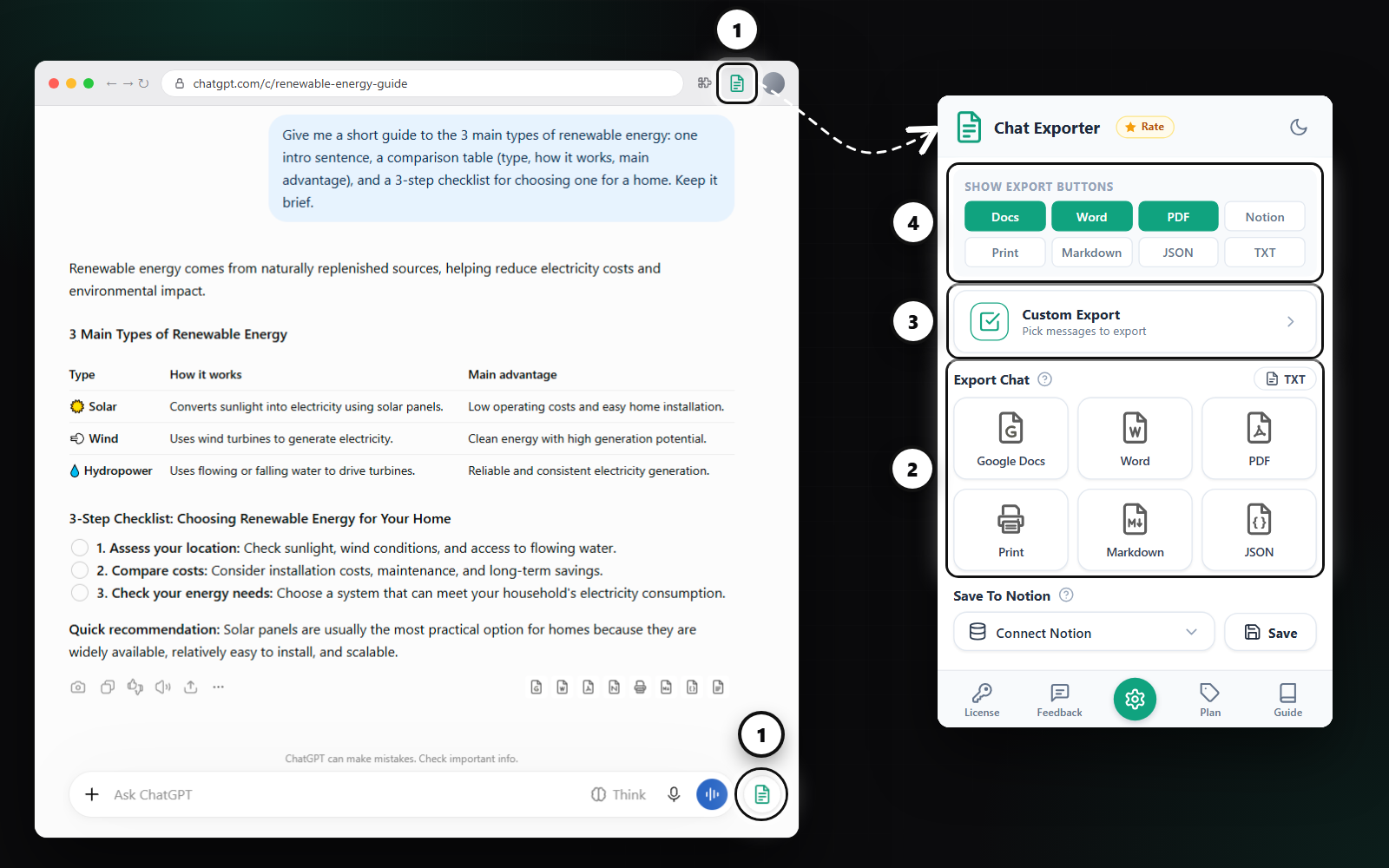
Want Markdown or Notion under every answer too? Open the extension panel and turn them on under Show Export Buttons.
Export the whole ChatGPT conversation
- Click the round Chat Exporter button next to the ChatGPT message box, or the extension icon in the Chrome toolbar.
- Under Export Chat, pick a format. Every prompt and answer goes into one document, in order.
Export only the messages you choose
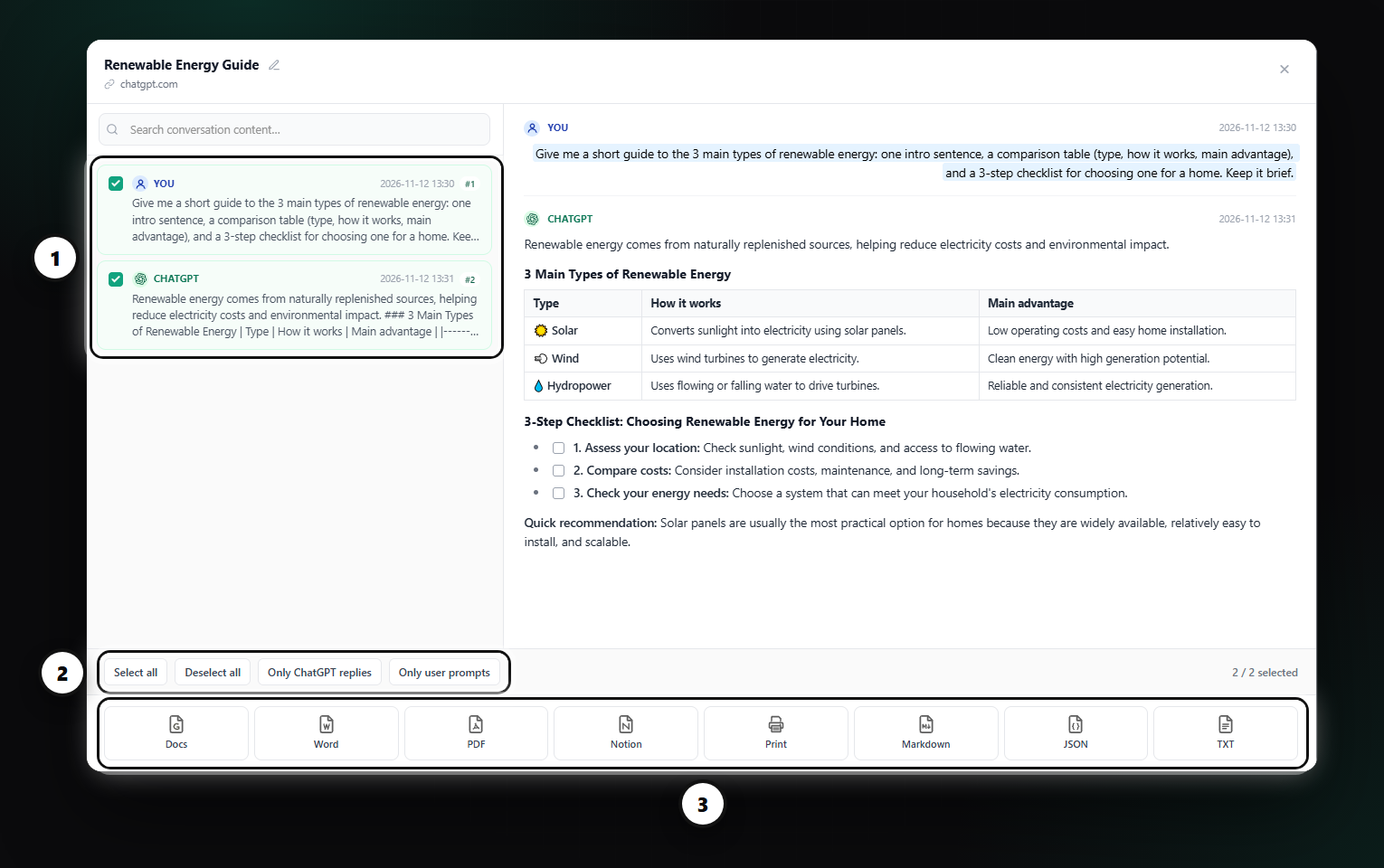
Long chats often contain detours. Custom Export lets you tick just the messages that matter, preview them, and export them together. Quick filters select everything, only your prompts, or only the ChatGPT replies.
What you get in Google Docs
- Real headings, so the document outline in the Docs sidebar works straight away.
- Real tables you can resize, sort and style, not text with pipes.
- Equations you can edit with the Docs equation editor, not pictures or LaTeX code.
- Code blocks in a monospace font, with indentation kept.
- Your prompts and ChatGPT's answers clearly separated, so reviewers can follow the conversation.
From there it's a normal Google Doc: share it, turn on suggestion mode, or download it as Word or PDF.
FAQ
Where is the document saved?
In your own Google Drive, as a new Google Doc named after the chat.
Does it work with Custom GPTs and every ChatGPT model?
Yes. The export works on any conversation you can open on chatgpt.com.
Can I export to Word or PDF instead?
Yes. The same extension exports to Word, PDF, Notion, Markdown, TXT and JSON as well.
Is my conversation stored?
Markdown and JSON are built inside your browser. PDF, Word, Google Docs, Notion and Print are built on our server, returned to you and deleted; the conversation itself is not kept.
Free plan: 3 exports every 24 hours, all formats included. No card needed.