
How to Export ChatGPT Conversations to Markdown (for Obsidian, GitHub and Notion)
Save a ChatGPT answer or a whole chat as a clean .md file with headings, tables, code fences and LaTeX kept intact.
Markdown is the natural home for ChatGPT output: the model already thinks in it. Yet copying from the chat window gives you rendered text, not the Markdown underneath. If you keep notes in Obsidian, write docs on GitHub or build a prompt library, you want the .md file itself.
Why Markdown instead of Word or PDF
- Plain text, version-friendly. Diffs in Git are readable, files are tiny and nothing is locked in an app.
- Works everywhere. Obsidian, Logseq, VS Code, GitHub, static site generators and Notion all read it.
- Built in your browser. Markdown exports never leave your computer.
What is kept in the .md file
- Headings as
#,##,###. - Tables as Markdown pipe tables.
- Code in fenced blocks with the language name, so syntax highlighting works.
- Math as LaTeX, ready for Obsidian, Typora or any KaTeX/MathJax renderer.
- Links, bold, italics and nested lists.
Export a single ChatGPT answer
Under every ChatGPT reply the extension adds a small row of export buttons. By default you will see Google Docs, Word and PDF.
- Open the conversation on
chatgpt.com. - Find the answer you want to keep and click the button for the format you need.
- The file downloads (or opens in Google Docs) a few seconds later, named after the chat title.
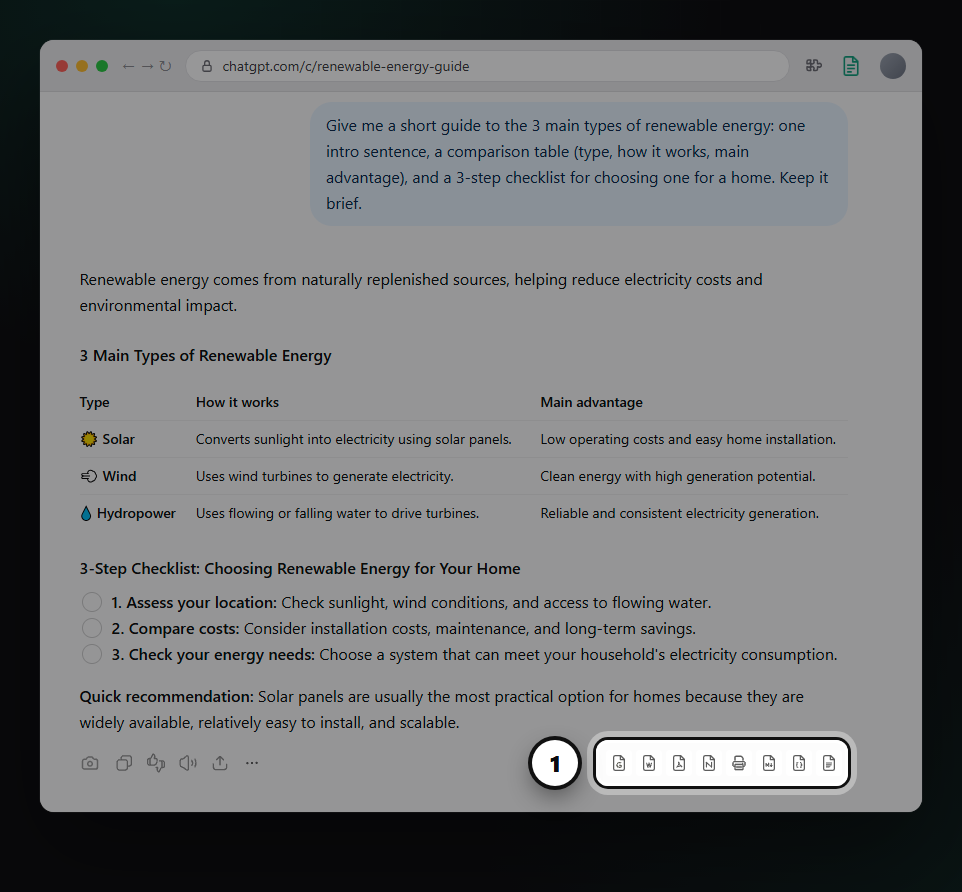
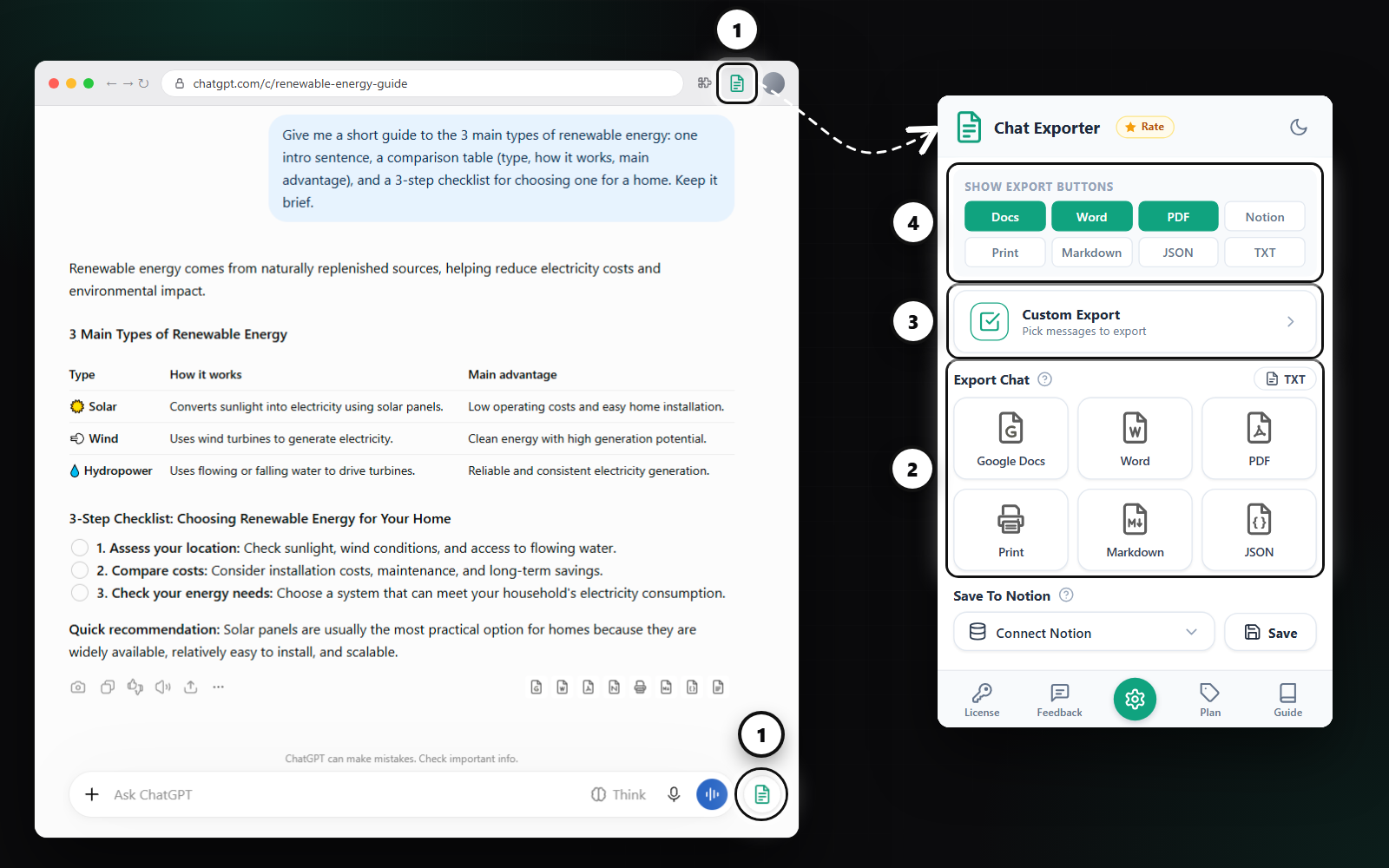
Want Markdown or Notion under every answer too? Open the extension panel and turn them on under Show Export Buttons.
Export the whole ChatGPT conversation
- Click the round Chat Exporter button next to the ChatGPT message box, or the extension icon in the Chrome toolbar.
- Under Export Chat, pick a format. Every prompt and answer goes into one document, in order.
Export only the messages you choose
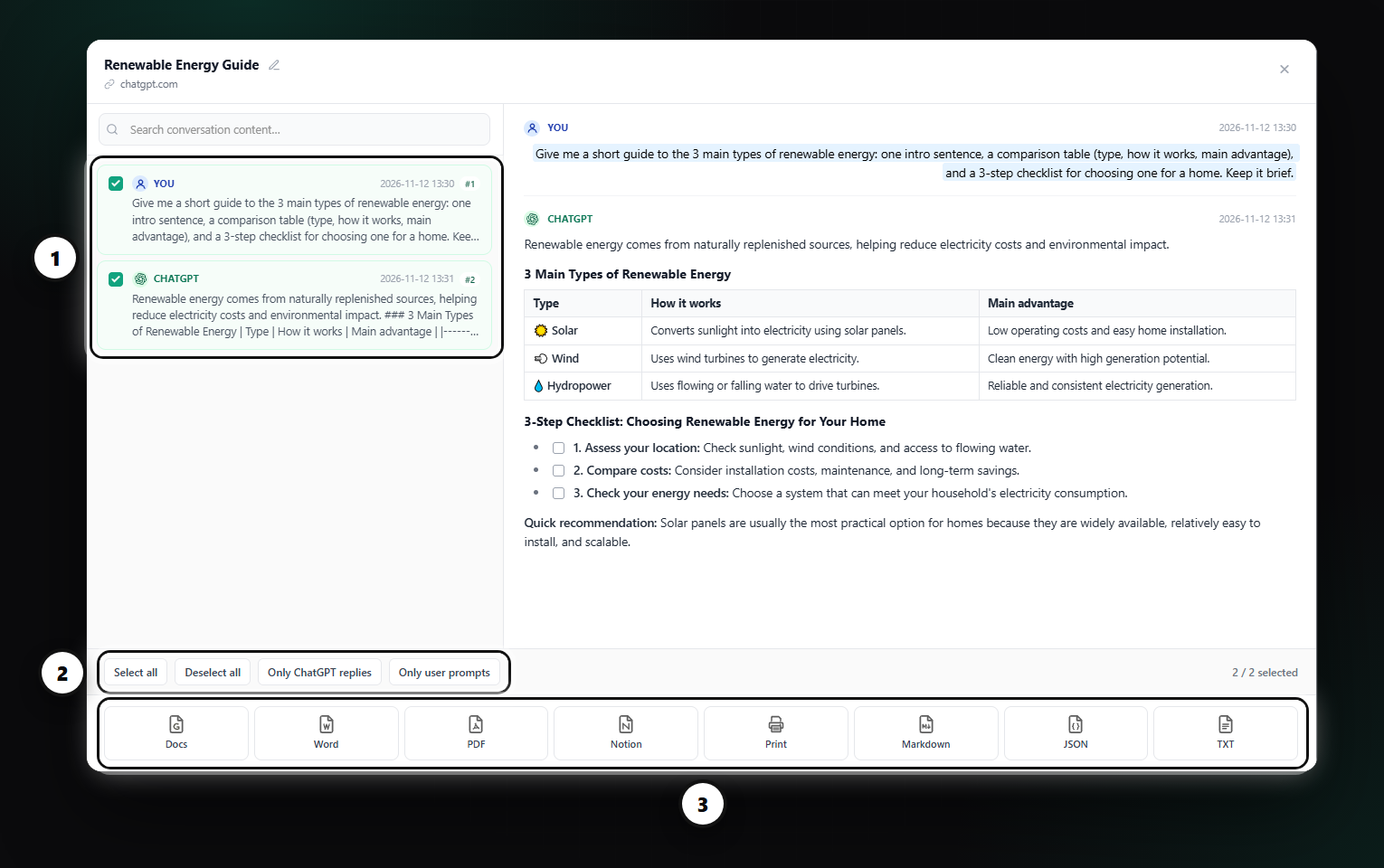
Long chats often contain detours. Custom Export lets you tick just the messages that matter, preview them, and export them together. Quick filters select everything, only your prompts, or only the ChatGPT replies.
Three workflows that work well
- Obsidian vault: export to Markdown and drop the file into your vault. Add tags at the top and link it to your other notes.
- Docs in a repo: export the answer that explains a piece of code and commit it next to the code as a README or ADR.
- Prompt library: use Custom Export to keep only your best prompt and its answer, and store them in a folder of .md files.
Need something else?
For a formatted document use Word; for data processing use JSON, which contains every message with its role.
FAQ
Is the Markdown export free?
Markdown is included in every plan, including Free.
Does the conversation go to a server?
No. Markdown and JSON are built inside your browser.
Free plan: 3 full-chat exports and 5 single-answer exports every month, all formats included. No card needed.